Author: admin

  • How Students Can Avoid Burnout

    How Students Can Avoid Burnout

    Student life often comes with constant pressure—assignments, exams, deadlines, and expectations. While working hard is important, pushing yourself without balance can lead to burnout, a state of mental, emotional, and physical exhaustion. Burnout doesn’t just affect academic performance; it can also impact overall well-being, motivation, and confidence.

    At CvDragon, we believe that sustainable success comes from smart effort, not constant exhaustion. This guide will help students understand burnout and learn practical ways to avoid it while maintaining productivity and focus.

    What Is Burnout?

    Burnout is more than just feeling tired. It is a prolonged state of stress that leads to:

    • Constant fatigue
    • Lack of motivation
    • Difficulty concentrating
    • Irritability or frustration
    • Reduced academic performance

    Unlike normal stress, burnout doesn’t go away with a short break. It builds over time when students continuously overwork without proper rest and recovery.

    Why Students Experience Burnout

    Burnout is common among students due to several reasons:

    • Heavy academic workload
    • High expectations (self or external)
    • Poor time management
    • Lack of sleep
    • Constant comparison with peers
    • Fear of failure

    In many cases, students try to do everything at once, which leads to exhaustion rather than productivity.

    Recognize the Early Signs

    Avoiding burnout starts with awareness.

    Watch for early warning signs such as:

    • Feeling tired even after rest
    • Loss of interest in studies
    • Procrastination
    • Increased stress or anxiety
    • Difficulty focusing

    Recognizing these signs early allows you to take action before burnout becomes severe.

    Build a Realistic Study Routine

    One of the main causes of burnout is unrealistic planning.

    Students often create intense schedules that are impossible to follow.

    Fix:
    Create a balanced routine that includes:

    • Study time
    • Breaks
    • Sleep
    • Leisure activities

    Instead of studying for long hours in one stretch, break your study sessions into smaller, manageable blocks.

    Consistency matters more than intensity.

    Follow the 50–10 Rule

    A simple and effective method is the 50–10 rule:

    • Study for 50 minutes
    • Take a 10-minute break

    This helps maintain focus while giving your brain time to rest.

    Short breaks improve productivity and prevent mental fatigue.

    Prioritize Sleep

    Sleep is often the first thing students sacrifice, but it is one of the most important factors in avoiding burnout.

    Lack of sleep leads to:

    • Poor concentration
    • Low energy
    • Memory issues
    • Increased stress

    Aim for 7–8 hours of sleep daily.

    A well-rested mind learns faster and performs better.

    Set Realistic Goals

    Setting goals that are too high or unrealistic can lead to frustration.

    Instead of saying:

    “I will finish everything today”

    Break tasks into smaller goals like:

    • Complete one chapter
    • Solve 10 problems
    • Revise notes for 30 minutes

    Achievable goals create a sense of progress and reduce pressure.

    Learn to Say No

    Students often take on too many responsibilities—academics, extracurricular activities, social commitments.

    This leads to overload.

    It is okay to say no to tasks that are not essential.

    Focus on what truly matters for your goals.

    Take Care of Your Physical Health

    Physical health and mental health are closely connected.

    Simple habits can make a big difference:

    • Eat balanced meals
    • Stay hydrated
    • Exercise regularly
    • Get fresh air

    Even a 20-minute walk can reduce stress and refresh your mind.

    Limit Digital Distractions

    Constant phone usage and social media can drain mental energy.

    It also creates unnecessary comparison and stress.

    Fix:

    • Set screen time limits
    • Avoid using your phone during study sessions
    • Use apps to block distractions

    A focused mind is less likely to feel overwhelmed.

    Practice Mindfulness and Relaxation

    Relaxation techniques can help reduce stress and prevent burnout.

    Try:

    • Deep breathing exercises
    • Meditation
    • Journaling
    • Listening to calming music

    Even a few minutes of mindfulness daily can improve mental clarity.

    Stay Connected with Others

    Isolation can increase stress.

    Talking to friends, classmates, or family members can help you feel supported.

    Sharing your concerns often reduces mental pressure.

    Group study sessions can also make learning more engaging.

    Avoid Perfectionism

    Many students aim for perfection in everything they do.

    This can lead to constant stress and dissatisfaction.

    Instead, focus on progress.

    Doing your best is more important than doing everything perfectly.

    Mistakes are part of learning.

    Reward Yourself

    Rewarding yourself for completing tasks can boost motivation.

    Simple rewards include:

    • Watching a show
    • Taking a break
    • Enjoying a snack
    • Spending time on hobbies

    Rewards create a positive association with studying.

    Take Breaks Without Guilt

    Many students feel guilty for taking breaks.

    But breaks are necessary for productivity.

    Rest is not wasted time—it is part of effective learning.

    A refreshed mind performs better than an exhausted one.

    Seek Help When Needed

    If burnout becomes overwhelming, do not hesitate to seek help.

    Talk to:

    • Teachers
    • Mentors
    • Counselors
    • Family members

    Asking for help is a sign of awareness, not weakness.

    Final Thoughts

    Avoiding burnout is not about doing less—it is about doing things in a balanced and sustainable way. Students who manage their time, energy, and expectations effectively can achieve better results without exhausting themselves.

    At CvDragon, we encourage students to focus on consistency, well-being, and smart learning strategies. Success is not about constant pressure—it is about maintaining the right balance.

    Remember, taking care of yourself is just as important as achieving your goals.

  • Resume Writing Mistakes

    A resume is often your first interaction with a recruiter, and even small mistakes can cost you an interview opportunity. Many job seekers focus on adding more content but overlook the importance of clarity, relevance, and presentation. Understanding common resume writing mistakes can help you avoid rejection and create a stronger, more professional impression.

    At CvDragon, we’ve seen how minor errors can make a big difference in shortlisting decisions. This guide highlights the most common resume mistakes and how you can fix them.

    1. Using a Generic Resume for Every Job.

    One of the biggest mistakes candidates make is sending the same resume for every application.

    Recruiters look for candidates who match specific job requirements. A generic resume often fails to highlight relevant skills and experience.

    Fix:
    Customize your resume for each role by including keywords from the job description and emphasizing relevant achievements.

    2. Writing a Weak or Vague Summary.

    A poorly written summary can fail to capture attention.

    Example of a weak summary:
    “Looking for a challenging job where I can grow.”

    This does not tell the recruiter anything meaningful.

    Fix:
    Write a clear and specific summary highlighting your skills, experience, and career direction.

    Example:
    “Marketing graduate with strong SEO and content strategy skills, seeking an entry-level role to drive brand growth.”

    3. Listing Responsibilities Instead of Achievements

    Many resumes focus only on job duties.

    Example:
    “Responsible for managing social media accounts.”

    This does not show impact.

    Fix:
    Highlight achievements with measurable results.

    Example:
    “Increased social media engagement by 30% in three months.”

    4. Making the Resume Too Long

    Adding too much information can overwhelm recruiters.

    Long resumes are harder to scan and may lead to important details being missed.

    Fix:
    Keep your resume concise:

    • 1 page for freshers
    • 1–2 pages for experienced candidates

    Remove irrelevant or outdated information.

    5. Poor Formatting and Layout

    A cluttered or inconsistent layout makes your resume difficult to read.

    Common issues include:

    • Different fonts
    • Misaligned text
    • No spacing
    • Long paragraphs

    Fix:
    Use a clean format with consistent fonts, proper spacing, and bullet points.

    6. Spelling and Grammar Errors

    Even a single typo can create a negative impression.

    It shows lack of attention to detail.

    Fix:
    Proofread your resume multiple times. Use tools or ask someone to review it.

    7. Using an Unprofessional Email Address

    Your email address reflects your professionalism.

    Example of a bad email:
    coolguy123@email.com

    Fix:
    Use a simple format like:

    firstname.lastname@email.com

    8. Including Irrelevant Information

    Adding unnecessary details can distract from your strengths.

    Examples:

    • Personal details like religion or marital status
    • Irrelevant hobbies
    • Outdated work experience

    Fix:
    Include only information that adds value to the job role.

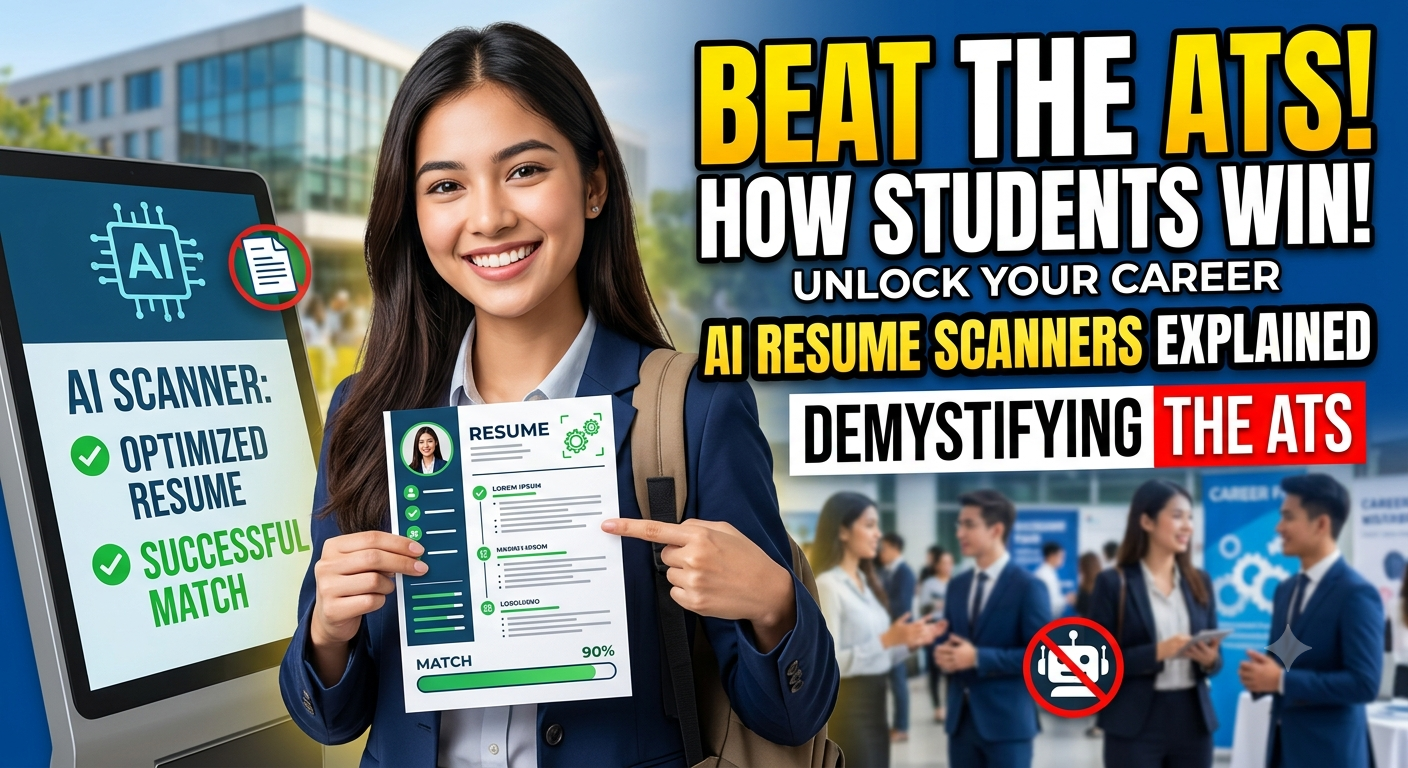
    9. Lack of Keywords for ATS

    Many companies use Applicant Tracking Systems to filter resumes.

    If your resume lacks relevant keywords, it may not get shortlisted.

    Fix:
    Include job-specific keywords naturally in your resume.

    For example, if the role requires “data analysis” or “project management,” ensure these appear if applicable.

    10. Using Long Paragraphs

    Large blocks of text reduce readability.

    Recruiters prefer quick scanning.

    Fix:
    Use bullet points and keep sentences short and clear.

    11. Not Quantifying Achievements

    Statements without numbers lack impact.

    Example:
    “Improved sales performance.”

    Fix:
    Add measurable results.

    Example:
    “Increased sales by 25% within six months.”

    Numbers make your achievements more credible.

    12. Adding Too Many Design Elements

    Overusing colors, graphics, or creative layouts can backfire.

    While it may look attractive, it can reduce readability and ATS compatibility.

    Fix:
    Keep the design simple and professional.

    Use minimal colors and avoid unnecessary visuals.

    13. Incorrect Resume Length for Experience Level

    Some candidates try to fit everything into one page, while others create overly long resumes.

    Fix:
    Follow standard guidelines:

    • Freshers: 1 page
    • Experienced: 1–2 pages

    Focus on relevance rather than length.

    14. Not Highlighting Key Skills

    Failing to showcase your skills clearly can make your resume weak.

    Fix:
    Create a dedicated skills section and include both technical and soft skills relevant to the job.

    15. Sending Resume Without Reviewing

    Many candidates send resumes without a final check.

    This leads to avoidable mistakes.

    Fix:
    Before sending, review:

    • Contact details
    • Formatting
    • Grammar
    • Relevance
    • File name

    A final review can significantly improve your chances.

    Final Thoughts

    Avoiding common resume writing mistakes can dramatically improve your chances of getting shortlisted. A strong resume is not about adding more—it is about presenting the right information clearly and professionally.

    At CvDragon, we encourage job seekers to focus on clarity, relevance, and impact. Small improvements can make a big difference in how recruiters perceive your profile.

    Remember, your resume is your personal brand. Make sure it represents you in the best possible way.

  • Resume Layout Design

    A strong resume is not only about what you write but also how you present it. The layout design of a resume plays a major role in making a great first impression. Recruiters often spend just a few seconds scanning a resume, so a clean and professional layout can make the difference between getting shortlisted and getting overlooked.

    At CvDragon, we believe that an effective resume layout design should combine readability, structure, and professionalism. In this guide, we will explain the best practices for designing a resume layout that is visually appealing, ATS-friendly, and recruiter-ready.

    Why Resume Layout Design Matters

    The layout is the visual structure of your resume.

    It controls how information is arranged on the page, how easy it is to scan, and how quickly a recruiter can find key details.

    A good layout helps highlight:

    • Your name and contact details
    • Skills and qualifications
    • Work experience
    • Education
    • Achievements

    A poor layout can make even strong content look weak.

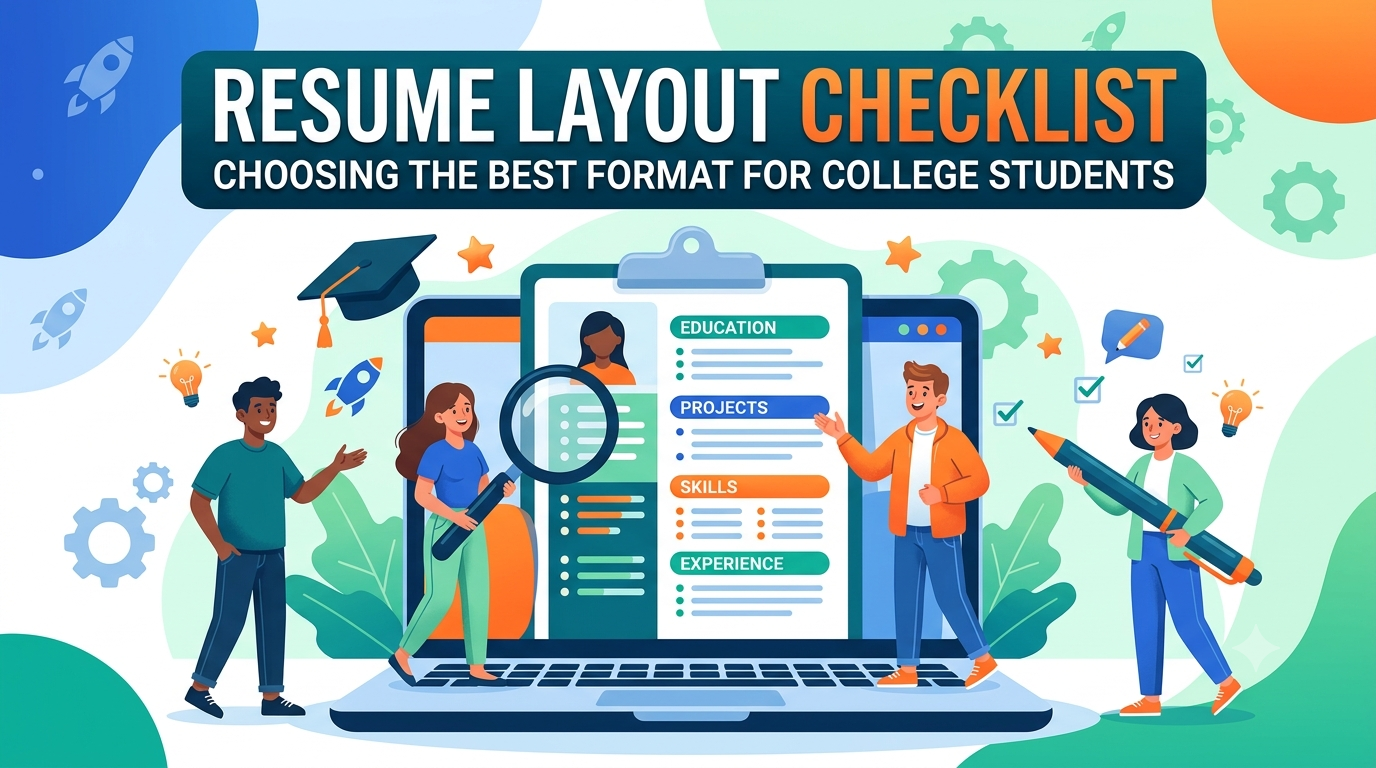
    The Ideal Resume Layout Structure

    A professional resume layout should follow a logical flow.

    The most effective order is:

    1. Header / Contact Information
    2. Summary or Objective
    3. Skills
    4. Work Experience / Internships
    5. Education
    6. Certifications
    7. Projects
    8. Achievements / Additional Information

    This structure allows recruiters to quickly scan the most important sections first.

    Header Design

    The top section of the resume should immediately grab attention.

    Include:

    • Full name
    • Phone number
    • Professional email
    • LinkedIn profile
    • City / location

    Your name should be the most prominent element.

    Use a slightly larger font size, such as 16–18 pt.

    Example:

    Rahul Sharma
    Kolkata, West Bengal
    +91 9876543210
    rahul@email.com

    Keep it clean and uncluttered.

    Single-Column vs Two-Column Layout

    This is one of the most common layout decisions.

    Single-Column Layout

    This is the safest and most ATS-friendly design.

    It works best for:

    • Corporate roles
    • Freshers
    • Most professional applications

    Information flows from top to bottom.

    This layout is simple, readable, and preferred by recruiters.

    Two-Column Layout

    This design splits the page into two vertical sections.

    Example:

    Left side:

    • Skills
    • Contact details
    • Certifications

    Right side:

    • Experience
    • Education
    • Projects

    This layout works well for creative roles but may sometimes cause ATS issues.

    For most jobs, a single-column layout is recommended.

    White Space and Spacing

    One of the most important design principles is white space.

    White space is the empty area between sections and margins.

    It improves readability and prevents the resume from looking crowded.

    Make sure there is enough spacing:

    • Between section headings
    • Between bullet points
    • Between job roles
    • Between paragraphs

    A cluttered resume feels difficult to read.

    Font and Typography Design

    Typography directly impacts readability.

    Best fonts include:

    • Arial
    • Calibri
    • Helvetica
    • Cambria
    • Times New Roman

    Use:

    • 10–12 pt for body text
    • 12–14 pt for headings
    • 16–18 pt for your name

    Use bold text for:

    • Section headings
    • Job titles
    • Company names

    Avoid decorative fonts.

    Simplicity always looks more professional.

    Section Heading Design

    Headings should be visually distinct.

    Examples:

    PROFESSIONAL SUMMARY
    SKILLS
    WORK EXPERIENCE

    Use bold formatting and slightly larger font size.

    You may use one subtle accent color like dark blue or grey if appropriate.

    Consistency is important.

    Bullet Point Design

    Avoid long paragraphs in a resume layout.

    Use bullet points to improve scanning speed.

    Example:

    • Increased lead generation by 25%
    • Managed client communication
    • Created monthly reports

    Short, impactful bullet points are easier to read.

    Margin and Alignment Rules

    Maintain balanced margins.

    Best practice:

    • 0.5 to 1 inch margins on all sides

    Use left alignment for all text content.

    Center alignment should be used only for your name if desired.

    Alignment consistency makes the layout look polished.

    Resume Layout for Freshers

    Freshers should prioritize:

    • Education
    • Skills
    • Internships
    • Projects
    • Certifications

    A one-page layout works best.

    Keep it simple and focused.

    Resume Layout for Experienced Professionals

    Experienced candidates should prioritize:

    • Work experience
    • Achievements
    • Skills
    • Leadership roles

    A 1–2 page layout is acceptable.

    Professional summaries become more important here.

    ATS-Friendly Layout Design Rules

    Modern hiring often involves ATS systems.

    To make your layout ATS-friendly:

    ✔ Use simple headings
    ✔ Avoid text boxes
    ✔ Avoid tables
    ✔ Avoid icons and graphics
    ✔ Use PDF format
    ✔ Keep alignment clean

    Highly designed resumes may look attractive but can fail ATS scans.

    Common Resume Layout Mistakes

    Avoid these design mistakes:

    • Too much text in one section
    • Poor spacing
    • Multiple font styles
    • Excessive colors
    • Uneven margins
    • Too many graphics
    • Inconsistent bullet formatting

    The layout should support content, not overpower it.

    Final Thoughts

    A strong resume layout design improves readability, professionalism, and shortlisting chances. It helps recruiters quickly understand your profile and creates a positive first impression.

    At CvDragon, we recommend layouts that are simple, clean, and ATS-friendly. The best design is one that highlights your strengths without distractions.

    Remember, recruiters first see the layout before they read the content.

    Design it smartly, and let your achievements stand out.

  • Resume Templates Guide

    A professionally designed resume template can make the job application process faster, easier, and more effective. Instead of worrying about layout, spacing, and formatting from scratch, a good template gives you a structured framework to present your qualifications clearly. For job seekers, students, and professionals, choosing the right resume template can significantly improve readability and first impressions.

    At CvDragon, we believe that the right template is not just about appearance—it is about helping recruiters quickly understand your profile and ensuring your resume is ATS-friendly. In this guide, we will explain different types of resume templates, when to use them, and how to choose the best one for your career goals.

    What Is a Resume Template?

    A resume template is a pre-designed format that includes the basic structure of a resume.

    It typically contains sections like:

    • Contact Information
    • Professional Summary
    • Skills
    • Work Experience
    • Education
    • Certifications
    • Projects

    The template helps you organize information professionally without spending extra time on design.

    Think of it as a ready-made blueprint for your resume.

    Why Resume Templates Are Useful

    Using a template offers several benefits.

    Saves Time

    You do not need to design the layout from scratch.

    Simply replace placeholder content with your own details.

    Professional Appearance

    Templates ensure proper spacing, alignment, and formatting.

    This improves visual appeal.

    Better Readability

    Recruiters can quickly scan information when the structure is clear.

    ATS-Friendly Layout

    A good template improves compatibility with Applicant Tracking Systems.

    This is especially important in modern recruitment.

    Types of Resume Templates

    Different job roles and experience levels require different templates.

    Let’s understand the most common types.

    1. Chronological Resume Template

    This is the most widely used resume format.

    It focuses on work experience listed in reverse chronological order, with the most recent job first.

    Best for:

    • Experienced professionals
    • Candidates with stable work history
    • Corporate roles

    Structure:

    • Header
    • Summary
    • Skills
    • Work Experience
    • Education
    • Certifications

    This is the preferred template for most recruiters.

    2. Functional Resume Template

    This template focuses more on skills than work history.

    Best for:

    • Freshers
    • Career switchers
    • Candidates with employment gaps

    Structure:

    • Header
    • Career Objective
    • Skills
    • Projects
    • Certifications
    • Education

    This format highlights strengths even when work experience is limited.

    3. Combination Resume Template

    As the name suggests, this combines skills and work experience.

    Best for:

    • Mid-level professionals
    • Career switchers with relevant skills
    • Technical and managerial roles

    This template offers a balanced presentation.

    It is one of the most versatile formats.

    4. Fresher Resume Template

    Freshers should use a clean and concise one-page format.

    Focus on:

    • Career objective
    • Education
    • Skills
    • Internships
    • Projects
    • Certifications
    • Achievements

    Because work experience is limited, education and projects become more important.

    5. Creative Resume Template

    This template uses modern designs, visual layouts, and sometimes subtle colors.

    Best for:

    • Graphic designers
    • Content creators
    • Media professionals
    • UI/UX roles

    However, avoid overly creative templates for corporate jobs.

    ATS systems may struggle with complex designs.

    What Makes a Good Resume Template?

    Not all templates are effective.

    A strong resume template should include:

    ✔ Clean layout
    ✔ Professional font
    ✔ Proper white space
    ✔ Clear section headings
    ✔ ATS compatibility
    ✔ Balanced margins
    ✔ Easy readability

    The best templates focus on clarity over decoration.

    Best Resume Template Length

    Follow these best practices:

    • 1 page for freshers
    • 1–2 pages for experienced professionals

    The template should not encourage unnecessary content expansion.

    Resume Template Sections You Must Include

    A professional template should always contain:

    Header

    Name, contact details, LinkedIn

    Summary / Objective

    Career goals or professional overview

    Skills

    Technical + soft skills

    Experience

    Jobs, internships, achievements

    Education

    Degree, university, year

    Certifications

    Relevant courses

    Projects

    Especially important for students

    Achievements

    Awards, recognitions, performance results

    ATS-Friendly Template Rules

    Many job seekers choose visually attractive templates that fail ATS scans.

    For better ATS compatibility:

    ✔ Use standard headings
    ✔ Avoid text boxes
    ✔ Avoid graphics and icons
    ✔ Use left alignment
    ✔ Use bullet points
    ✔ Keep fonts simple

    Templates with columns may sometimes create ATS issues.

    For private sector jobs, simplicity works best.

    Common Mistakes When Using Templates

    Avoid these mistakes:

    Overdesigning

    Too many colors, icons, or graphics can look unprofessional.

    Using Generic Content

    A template is only a structure.

    Content must still be personalized.

    Not Customizing for the Job

    Always tailor your resume even when using a template.

    Poor Font Choices

    Fancy fonts reduce readability.

    How to Choose the Right Resume Template

    Ask yourself:

    • Am I a fresher or experienced professional?
    • Is this a corporate role or creative role?
    • Does the employer use ATS?
    • How much experience do I need to showcase?

    Choose the template based on the role, not just appearance.

    Final Thoughts

    A resume template is a powerful starting point for creating a strong job application. It saves time, improves structure, and helps present your qualifications professionally.

    At CvDragon, we recommend choosing templates that are clean, ATS-friendly, and easy to read. A beautiful template is useful only when paired with strong and relevant content.

    Remember, the template creates the first visual impression, but your achievements create the real impact.

    Choose wisely and let your resume speak with confidence.

  • Resume Writing Checklist

    Writing a resume can feel overwhelming, especially when you want to make the best first impression on recruiters. A strong resume is not just about listing your education and experience—it is about presenting your qualifications in a clear, professional, and job-focused way. That is why having a resume writing checklist can help ensure nothing important is missed.

    At CvDragon, we believe every job seeker deserves a resume that is polished, ATS-friendly, and ready to impress hiring managers. This checklist will help you review your resume step by step before sending it out.

    1. Basic Contact Information Check

    Start by confirming that your contact details are accurate and professional.

    ✔ Full name clearly visible at the top
    ✔ Mobile number updated and active
    ✔ Professional email address
    ✔ LinkedIn profile link (if applicable)
    ✔ Portfolio / website link (for creative or technical roles)
    ✔ City and state (optional)

    Avoid:
    ✘ Unprofessional email IDs
    ✘ Full home address unless required

    Example:
    Correct: rahul.sharma@email.com
    Incorrect: cooldude123@email.com

    2. Resume Headline / Summary Check

    Your summary or objective should quickly explain who you are.

    ✔ 2–4 lines only
    ✔ Tailored to the job role
    ✔ Highlights your strengths
    ✔ Includes relevant keywords

    For freshers, use a career objective.
    For experienced candidates, use a professional summary.

    3. Skills Section Check

    This section should be relevant to the job description.

    ✔ Technical skills included
    ✔ Soft skills included
    ✔ Job-specific keywords used
    ✔ ATS-friendly terms added

    Example:

    ✔ MS Excel
    ✔ SEO
    ✔ Data analysis
    ✔ Communication
    ✔ Leadership

    Avoid generic skill stuffing.

    Only mention skills you genuinely possess.

    4. Work Experience Check

    This is one of the most critical sections.

    ✔ Reverse chronological order
    ✔ Job title mentioned
    ✔ Company name included
    ✔ Dates clearly stated
    ✔ Bullet points used
    ✔ Achievements highlighted
    ✔ Numbers and measurable results added

    Example:

    ✔ Increased sales by 18%
    ✔ Managed a team of 5 interns

    Focus on achievements, not just responsibilities.

    5. Internship / Fresher Experience Check

    For students and freshers:

    ✔ Internship roles added
    ✔ College projects included
    ✔ Freelance work mentioned
    ✔ Volunteer work added if relevant

    This helps fill the experience gap.

    6. Education Section Check

    Make sure all academic information is accurate.

    ✔ Degree name
    ✔ University / college name
    ✔ Passing year
    ✔ CGPA / percentage
    ✔ Relevant coursework (optional)

    Freshers can also include:

    ✔ Class 12
    ✔ Class 10

    Experienced professionals can keep this section shorter.

    7. Certifications and Courses Check

    This section can strengthen your profile.

    ✔ Relevant certifications added
    ✔ Course names clearly mentioned
    ✔ Certification platform included

    Examples:

    ✔ Google Digital Marketing
    ✔ Advanced Excel
    ✔ HR Analytics
    ✔ Corporate Law Course

    Only add certifications relevant to the role.

    8. Projects Section Check

    Projects are highly valuable for students and entry-level candidates.

    ✔ Project title
    ✔ Objective
    ✔ Tools / skills used
    ✔ Final result or outcome

    Example:

    ✔ Consumer behavior analysis using Excel
    ✔ SEO content growth project

    Projects show practical knowledge.

    9. Formatting and Design Check

    Formatting plays a major role in readability.

    ✔ Professional font used
    ✔ Font size 10–12
    ✔ Headings bold and consistent
    ✔ Proper spacing maintained
    ✔ Left alignment used
    ✔ Bullet points instead of long paragraphs
    ✔ Margins balanced
    ✔ White space visible

    A cluttered resume often gets ignored.

    10. Resume Length Check

    Best practice:

    ✔ 1 page for freshers
    ✔ 1–2 pages for experienced candidates

    Remove unnecessary details if the resume is too long.

    11. ATS Optimization Check

    Many recruiters use ATS software.

    Checklist:

    ✔ Standard headings used
    ✔ No tables or text boxes
    ✔ No excessive graphics
    ✔ Keywords from job description included
    ✔ PDF format used

    Simple formatting improves ATS readability.

    12. Grammar and Spelling Check

    Even small mistakes can hurt your chances.

    ✔ Spelling checked
    ✔ Grammar reviewed
    ✔ Sentence structure corrected
    ✔ Consistent tense used

    Use action verbs like:

    ✔ Managed
    ✔ Developed
    ✔ Led
    ✔ Improved

    Proofread at least twice.

    13. Achievement Check

    Ask yourself:

    ✔ Have I shown impact?
    ✔ Are results measurable?
    ✔ Does it show value?

    Examples:

    ✔ Increased website traffic by 30%
    ✔ Reduced process time by 15%

    Recruiters love measurable achievements.

    14. Relevance Check

    Before sending your resume, ask:

    ✔ Is every section relevant to the role?
    ✔ Have I removed outdated information?
    ✔ Is the resume tailored for this job?

    A generic resume performs worse than a customized one.

    15. File Name Check

    This is often ignored but important.

    Use:

    ✔ Rahul_Sharma_Resume.pdf

    Avoid:

    ✘ resume_final_latest_new.pdf

    Professional file naming creates a better impression.

    Final Checklist Before Sending

    Quick final review:

    ✔ Correct contact details
    ✔ Role-specific summary
    ✔ Relevant skills
    ✔ Strong achievements
    ✔ Clean formatting
    ✔ No grammar mistakes
    ✔ ATS-friendly
    ✔ PDF format
    ✔ Professional file name

    Final Thoughts

    A resume is often your first step toward getting hired. A strong checklist ensures that your resume is professional, polished, and job-ready.

    At CvDragon, we recommend reviewing this checklist before every job application. Small improvements can make a big difference in shortlisting chances.

    A well-checked resume is a confident resume.

  • Resume Sections Explained

    A resume is one of the most important documents in a job search. It is often the first thing a recruiter sees, and in just a few seconds, it must communicate your qualifications, experience, and potential. That is why understanding the key sections of a resume is essential for every job seeker.

    At CvDragon, we believe that a well-structured resume increases your chances of getting shortlisted and makes a strong first impression. In this article, we will explain each resume section in detail so you can build a professional, ATS-friendly, and recruiter-ready document.

    1. Contact Information

    The contact information section appears at the top of the resume and should be simple, clear, and professional.

    This section should include:

    • Full name
    • Mobile number
    • Professional email address
    • LinkedIn profile link
    • City and state (optional)
    • Portfolio or website link (if relevant)

    Example:

    Rahul Sharma
    Kolkata, West Bengal
    +91 9876543210
    rahulsharma@email.com
    linkedin.com/in/rahulsharma

    Avoid adding unnecessary personal details such as marital status, religion, or full residential address unless specifically required.

    2. Resume Summary or Career Objective

    This section gives recruiters a quick overview of who you are professionally.

    For Freshers: Career Objective

    A career objective focuses on your goals and how you can contribute to the organization.

    Example:

    “Motivated BBA graduate with strong communication and analytical skills seeking an entry-level role in marketing to contribute to business growth.”

    For Experienced Professionals: Resume Summary

    A summary highlights your experience, achievements, and expertise.

    Example:

    “Results-driven marketing professional with 4+ years of experience in digital campaigns, brand strategy, and lead generation.”

    Keep this section between 2–4 lines.

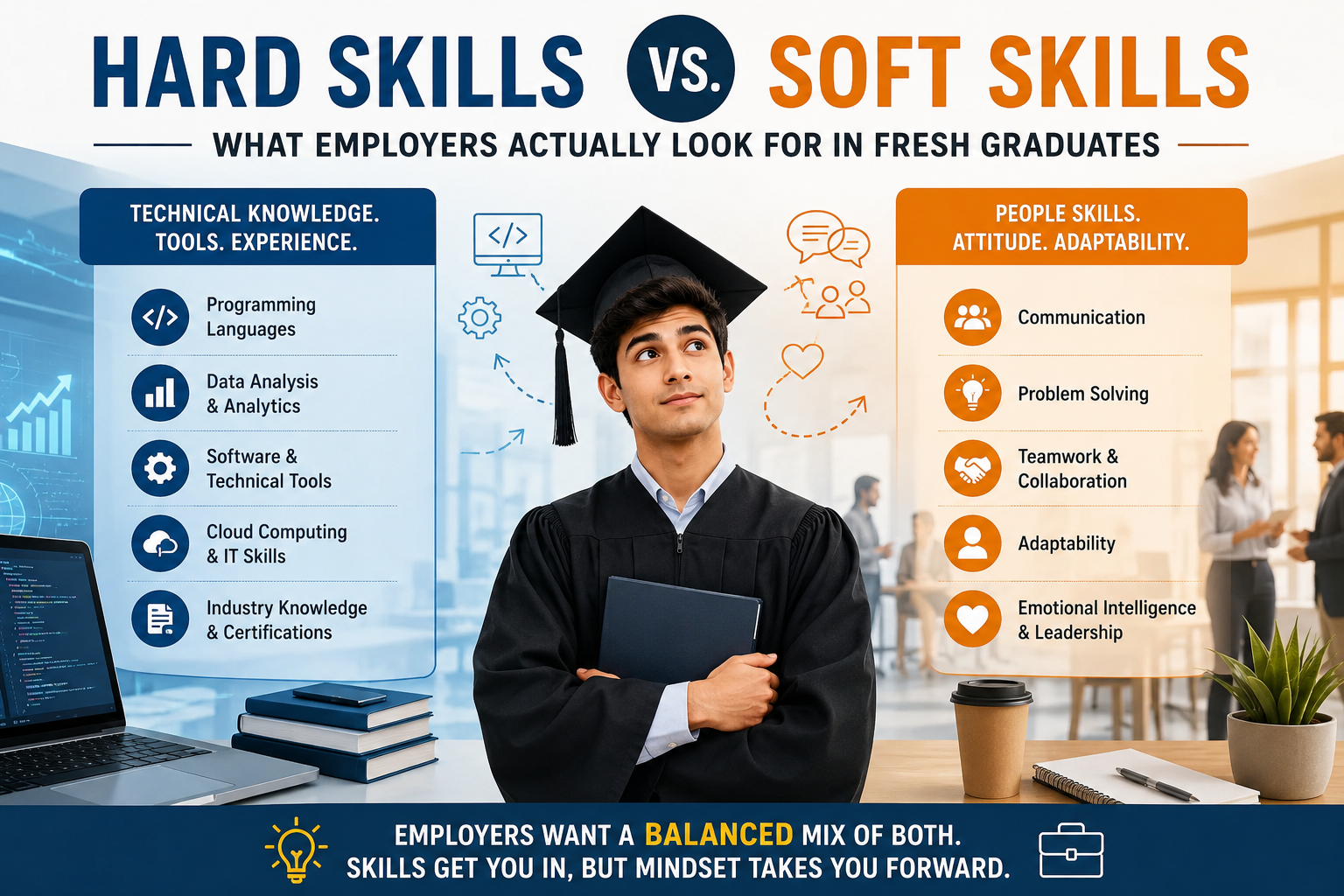
    3. Skills Section

    The skills section is one of the most important resume sections, especially for ATS screening.

    Include both:

    Technical Skills

    • MS Excel
    • Digital Marketing
    • SEO
    • Data Analysis
    • Project Management

    Soft Skills

    • Communication
    • Leadership
    • Teamwork
    • Time management
    • Problem-solving

    Use keywords that match the job description to improve your chances of getting shortlisted.

    4. Work Experience

    This is usually the most important section for experienced candidates.

    List your experience in reverse chronological order, with the most recent role first.

    Each entry should include:

    • Job title
    • Company name
    • Employment dates
    • Key responsibilities
    • Achievements

    Example:

    Marketing Executive
    ABC Pvt. Ltd. | Jan 2023 – Present

    • Managed digital marketing campaigns
    • Increased lead conversion by 22%
    • Conducted competitor analysis
    • Improved website traffic through SEO strategies

    Focus more on achievements and measurable results rather than just duties.

    5. Internship Experience

    For students and freshers, internship experience often plays the role of work experience.

    Include:

    • Position title
    • Organization name
    • Duration
    • Key learnings and outcomes

    This section helps recruiters assess practical exposure and workplace readiness.

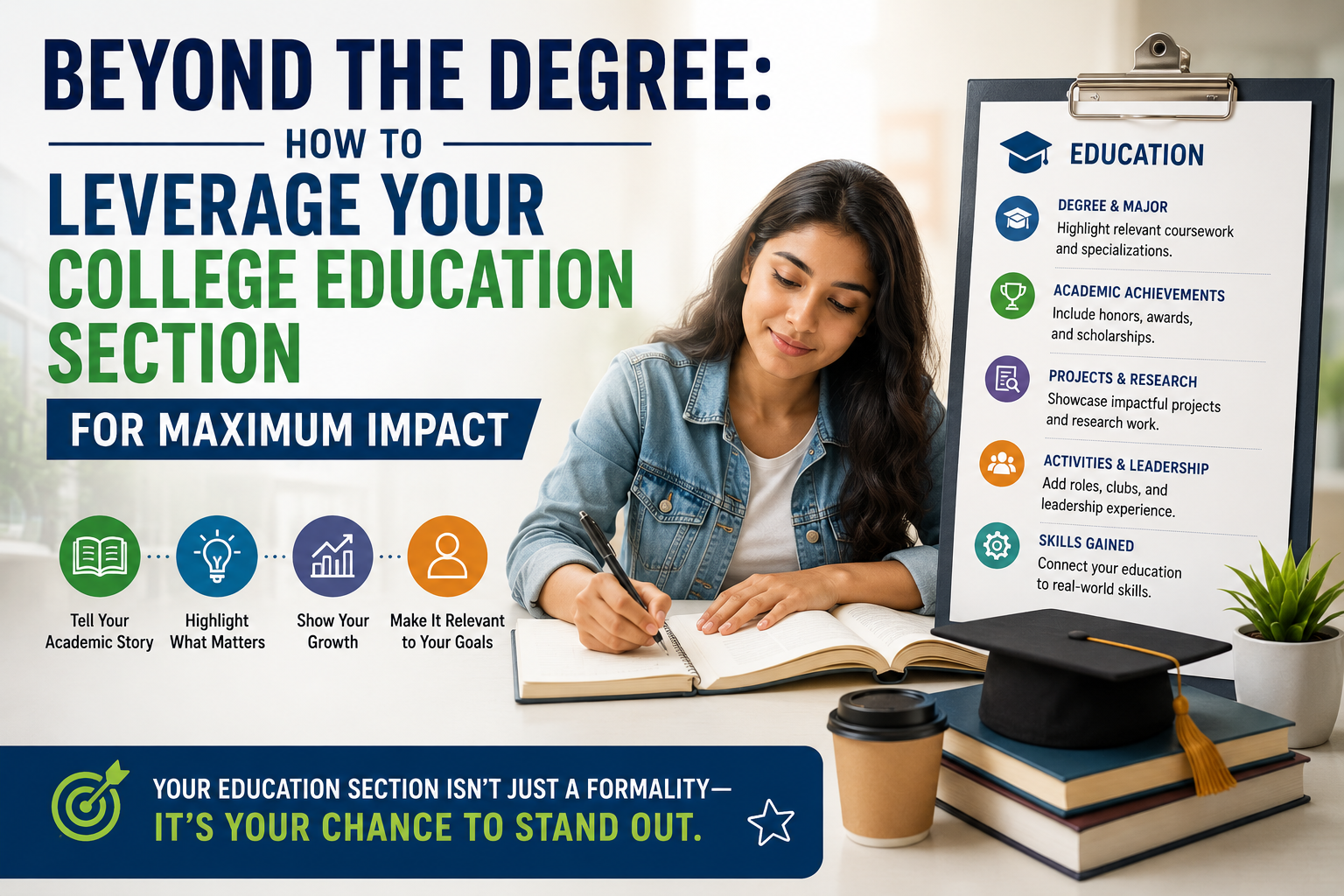
    6. Education Section

    The education section is essential for all candidates, especially recent graduates.

    Include:

    • Degree name
    • College / University
    • Passing year
    • Percentage / CGPA

    Example:

    Bachelor of Business Administration (BBA)
    XYZ University, Kolkata
    2021 – 2024
    CGPA: 8.3

    Freshers may also include Class 12 and Class 10 details.

    Experienced professionals can keep this section brief.

    7. Certifications

    Certifications strengthen your profile and show continuous learning.

    Examples:

    • Google Digital Marketing Certification
    • Advanced Excel
    • Corporate Law Certification
    • HR Analytics

    This section is highly useful if you are switching careers or adding new skills.

    8. Projects Section

    Projects are especially important for students, freshers, and technical roles.

    Mention:

    • Project title
    • Objective
    • Tools used
    • Outcome

    Example:

    Consumer Buying Behavior Analysis Project

    • Conducted survey research with 200 participants
    • Used Excel for data interpretation
    • Presented actionable consumer insights

    Projects demonstrate practical knowledge and problem-solving ability.

    9. Achievements and Awards

    This section helps your resume stand out.

    Include:

    • Academic awards
    • Scholarships
    • Employee recognition
    • Competition wins
    • Leadership awards

    Example:

    • Best Intern Award, 2024
    • College Debate Winner
    • Merit Scholarship Recipient

    Achievements build credibility and showcase excellence.

    10. Additional Information

    This is an optional section but can add value.

    It may include:

    • Languages known
    • Volunteer work
    • Hobbies and interests
    • Extracurricular activities

    Example:

    Languages: English, Hindi, Bengali
    Interests: Public speaking, content writing

    Keep this section relevant and concise.

    11. References (Optional)

    References are usually not required unless specifically requested.

    Instead of listing names and phone numbers, you may write:

    References available upon request

    This keeps your resume clean and professional.

    Final Thoughts

    Every section of your resume has a specific purpose. Together, these sections create a complete professional profile that helps recruiters understand your strengths quickly.

    At CvDragon, we recommend keeping your resume sections clear, organized, and tailored to the role you are applying for.

    A well-structured resume is not just a document—it is your professional introduction.

    When each section is thoughtfully written, your chances of landing interviews improve significantly.

  • Resume Formatting Rules

    Resume Formatting Rules

    A resume is more than just a list of qualifications—it is your first impression in the eyes of a recruiter. No matter how strong your skills or experience may be, poor formatting can make your resume difficult to read and reduce your chances of getting shortlisted. In today’s competitive job market, following the right resume formatting rules is essential for creating a professional, ATS-friendly, and visually appealing document.

    At CvDragon, we help job seekers build resumes that are clean, structured, and recruiter-friendly. This guide covers the most important resume formatting rules every candidate should follow.

    Why Resume Formatting Matters

    Recruiters usually spend only a few seconds scanning each resume. A well-formatted resume helps them quickly identify key information such as your experience, education, and skills.

    Good formatting improves:

    • Readability
    • Professional appearance
    • ATS compatibility
    • First impression
    • Information flow

    A poorly formatted resume, even with strong content, may get ignored.

    Use a Clean and Professional Font

    The first rule of resume formatting is choosing a simple, readable font.

    Best fonts include:

    • Arial
    • Calibri
    • Times New Roman
    • Helvetica
    • Cambria

    Keep the font professional and avoid decorative or stylish fonts.

    For body text, use font size 10 to 12.

    For section headings, use font size 12 to 14.

    Consistency is key. Use the same font throughout the resume.

    Maintain Proper Margins

    Margins make your resume look balanced and easy to read.

    Use standard margins of 0.5 to 1 inch on all sides.

    This ensures enough white space without making the document look too crowded or too empty.

    A clean layout makes the resume visually professional.

    Use Clear Section Headings

    Every section should be clearly separated with bold headings.

    Common headings include:

    • Contact Information
    • Professional Summary
    • Skills
    • Work Experience
    • Education
    • Certifications
    • Projects

    Use bold text for headings and keep the formatting consistent.

    This helps recruiters scan the document quickly.

    Keep Alignment Consistent

    Text alignment is one of the most overlooked formatting rules.

    Use left alignment for most content.

    Avoid center-aligning body text because it reduces readability.

    Your name at the top can be centered or left aligned, but section content should remain left aligned.

    Consistency in alignment gives the resume a polished look.

    Use Bullet Points Instead of Paragraphs

    Recruiters prefer resumes that are easy to scan.

    Avoid long paragraphs.

    Instead, use bullet points to list responsibilities and achievements.

    Example:

    • Increased sales by 20% in six months
    • Managed a team of 5 interns
    • Developed weekly performance reports

    Bullet points improve readability and highlight achievements effectively.

    Use Reverse Chronological Order

    When listing work experience and education, always use reverse chronological order.

    This means your most recent role or qualification should appear first.

    Example:

    Marketing Executive
    ABC Pvt. Ltd. | 2024 – Present

    Then list older roles below it.

    This is the standard resume formatting rule followed by recruiters and ATS systems.

    Highlight Important Information

    Use formatting tools like bold text to emphasize important details such as:

    • Job titles
    • Company names
    • Degree names
    • Section headings

    However, avoid overusing bold, italics, or underline.

    Too much emphasis can make the document look cluttered.

    Use formatting only where it adds clarity.

    Keep Resume Length Balanced

    Formatting and length go hand in hand.

    Best practice:

    • 1 page for freshers
    • 1–2 pages for experienced professionals

    Do not reduce font size excessively just to fit everything on one page.

    Readability should never be compromised.

    Maintain Proper Spacing

    Spacing is crucial for a clean look.

    Leave enough space:

    • Between sections
    • Between headings and content
    • Between bullet points

    Crowded text reduces readability.

    White space improves visual flow and makes the resume easier to review.

    Avoid Too Many Colors

    For most professional roles, use black text on a white background.

    You may use one subtle color for headings if needed, such as dark blue or grey.

    Avoid bright colors, multiple shades, or flashy designs unless applying for creative roles.

    Simplicity creates professionalism.

    Save in the Right Format

    Always save and send your resume in PDF format, unless the employer specifically asks for Word format.

    PDF preserves formatting across devices.

    This ensures your layout remains intact when viewed by recruiters.

    File naming also matters.

    Use a professional file name like:

    Rahul_Sharma_Resume.pdf

    Avoid names like:

    resume_final_new_latest.pdf

    Make It ATS-Friendly

    Many companies use Applicant Tracking Systems.

    To ensure ATS compatibility:

    • Use standard headings
    • Avoid tables and text boxes
    • Do not use images or icons
    • Keep formatting simple
    • Use job-specific keywords

    Complex designs may confuse ATS software.

    A clean format improves screening success.

    Common Formatting Mistakes to Avoid

    Avoid these common errors:

    • Different fonts in different sections
    • Inconsistent font sizes
    • Too many colors
    • Long paragraphs
    • No white space
    • Misaligned text
    • Overuse of bold formatting
    • Unprofessional file names

    Even small formatting issues can create a poor impression.

    Final Thoughts

    Resume formatting plays a major role in how recruiters perceive your professionalism. A well-structured and properly formatted resume makes it easier for hiring managers to quickly understand your profile.

    At CvDragon, we recommend keeping your resume clean, consistent, and ATS-friendly. Strong content deserves strong presentation.

    Remember, formatting is not just about looks—it directly affects readability, professionalism, and shortlisting chances.

    A polished resume speaks before you do.

  • Resume Length Best Practices

    Resume Length Best Practices

    When it comes to job applications, one of the most common questions job seekers ask is: How long should a resume be? The answer is simple yet important—your resume should be as long as necessary, but as short as possible. In today’s competitive hiring landscape, recruiters spend only a few seconds scanning each application, so the length of your resume can directly impact whether it gets read or ignored.

    At CvDragon, we help candidates create professional resumes that are not only well-structured but also optimized for readability and ATS (Applicant Tracking System) screening. In this guide, we will explain the best practices for resume length, based on experience level, job type, and industry expectations.

    Why Resume Length Matters

    A resume is not your life story. It is a targeted marketing document designed to show why you are the right fit for a particular role.

    Recruiters often review hundreds of applications for a single position. If your resume is too long, they may miss the most important details. If it is too short, it may fail to demonstrate your qualifications.

    The ideal resume length balances clarity, relevance, and impact.

    Ideal Resume Length by Experience Level

    The best resume length often depends on how much professional experience you have.

    1. Freshers and Students: 1 Page

    If you are a student, recent graduate, or someone with less than 2 years of experience, a one-page resume is the best practice.

    At this stage, employers mainly look for:

    • Education
    • Skills
    • Internships
    • Projects
    • Certifications
    • Extracurricular achievements

    A concise one-page resume helps recruiters quickly understand your potential without overwhelming them.

    For most fresher roles, one page is more than enough.

    2. Mid-Level Professionals: 1 to 2 Pages

    For candidates with 2 to 8 years of work experience, a 1–2 page resume is considered ideal.

    This length gives enough space to highlight:

    • Relevant work experience
    • Key achievements
    • Technical skills
    • Certifications
    • Promotions
    • Leadership roles

    If your achievements are highly relevant and measurable, using two pages is completely acceptable.

    However, never stretch content unnecessarily just to fill space.

    3. Senior Professionals: 2 Pages

    For professionals with 8+ years of experience, a two-page resume is the standard best practice.

    At this level, employers expect more detailed information such as:

    • Strategic responsibilities
    • Team leadership
    • Major business achievements
    • Revenue growth contributions
    • Project management experience

    Two pages allow you to showcase depth without sacrificing readability.

    In most industries, going beyond two pages is not recommended unless specifically required.

    When a 3-Page Resume Is Acceptable

    A three-page resume may be acceptable only in specific cases, such as:

    • Academic roles
    • Research positions
    • Government applications
    • Senior executive roles
    • Technical specialists with extensive projects

    For most corporate jobs, however, anything beyond two pages can reduce readability.

    If your content exceeds two pages, review whether every detail is relevant.

    Quality Over Quantity

    Resume length should never be based on page count alone.

    The focus should always be on relevant value-driven content.

    For example, instead of listing every task you performed, highlight achievements like:

    • Increased sales by 25%
    • Managed a team of 10 members
    • Reduced costs by 15%

    This approach adds more impact in fewer words.

    A shorter resume with strong achievements is better than a long one filled with generic responsibilities.

    Keep Only Relevant Experience

    One of the best ways to maintain the ideal resume length is by removing irrelevant details.

    Avoid including:

    • Very old work experience unrelated to the role
    • School achievements if you are an experienced professional
    • Unnecessary personal details
    • Hobbies that do not add value

    Focus only on information that supports the job you are applying for.

    Use Bullet Points Instead of Long Paragraphs

    Long paragraphs make resumes difficult to scan.

    Instead, use short bullet points.

    For example:

    • Managed client communications
    • Improved customer satisfaction by 20%
    • Led weekly performance reviews

    Bullet points improve readability and help recruiters absorb information faster.

    ATS-Friendly Resume Length Tips

    Applicant Tracking Systems scan resumes for keywords and structure.

    To keep your resume ATS-friendly:

    • Use clear headings
    • Avoid tables and graphics
    • Use standard fonts
    • Keep formatting simple
    • Use job-specific keywords

    A well-formatted 1–2 page resume performs much better in ATS systems than a visually cluttered long document.

    Avoid Common Resume Length Mistakes

    Many candidates make these mistakes:

    Adding Too Much Information

    Do not include every job duty from every role.

    Focus on achievements and relevance.

    Repeating Similar Points

    Avoid repetition across multiple roles.

    Making It Too Short

    A half-page resume can look incomplete unless you are a fresher with limited experience.

    Forcing It to One Page

    Sometimes candidates remove important achievements just to keep it one page.

    If you have relevant experience, a second page is perfectly acceptable.

    Industry-Specific Expectations

    Different industries may have slightly different expectations.

    Corporate / Private Sector:
    1–2 pages

    Academic / Research:
    2–3 pages or more

    Creative Fields:
    1–2 pages with portfolio link

    Government / Public Sector:
    As per official guidelines

    Understanding the industry standard helps you create a more effective application.

    Final Thoughts

    The best resume length is not about fitting into a fixed number of pages—it is about presenting your most relevant qualifications in the clearest possible way.

    For most job seekers:

    • Freshers: 1 page
    • Mid-level: 1–2 pages
    • Experienced: 2 pages

    At CvDragon, we always recommend focusing on relevance, achievements, and readability over page count.

    A concise, impactful resume creates a stronger impression than a lengthy one filled with unnecessary details.

    Remember, your resume should make recruiters want to call you—not make them search for the important points.

  • Resume Structure Guide

    A resume is often the first impression you make on a recruiter, and in today’s competitive job market, that first impression matters more than ever. A well-structured resume not only presents your qualifications clearly but also improves your chances of getting shortlisted for interviews. Whether you are a fresher, a student, or an experienced professional, understanding the right resume structure is essential.

    At CvDragon, we believe that a professionally organized resume can open doors to the right opportunities. This guide will help you understand the ideal resume format, key sections, and best practices to create a powerful, SEO-friendly, and ATS-optimized resume.

    Why Resume Structure Matters

    Recruiters usually spend only 6 to 10 seconds scanning a resume before deciding whether to continue reading. That means your resume must be easy to read, well-organized, and focused on relevant information.

    A proper structure helps employers quickly identify:

    • Who you are
    • What skills you bring
    • Your experience level
    • Your academic background
    • Your achievements

    A messy or poorly arranged resume can lead to rejection even if you are qualified.

    Ideal Resume Structure

    A professional resume should follow a clear and logical flow. Here is the ideal structure.

    1. Header / Contact Information

    The top section of your resume should include your basic contact details.

    This section must contain:

    • Full name
    • Mobile number
    • Professional email address
    • LinkedIn profile link
    • City and state (optional)
    • Portfolio or website link (if relevant)

    Example:

    Rahul Sharma
    Kolkata, West Bengal
    +91 9876543210
    rahulsharma@email.com
    linkedin.com/in/rahulsharma

    Make sure your email address looks professional.

    Avoid informal emails like coolboy123@email.com.

    2. Professional Summary / Career Objective

    This is a short paragraph placed below the header.

    For freshers, use a career objective.
    For experienced candidates, use a professional summary.

    Keep it between 2–4 lines.

    Example for fresher:

    “Motivated BBA graduate with strong communication and analytical skills seeking an entry-level marketing role to contribute to business growth and brand development.”

    This section should immediately communicate your career direction.

    3. Skills Section

    The skills section is one of the most important parts of the resume, especially for ATS (Applicant Tracking System) screening.

    Split this into:

    Technical Skills

    • MS Excel
    • PowerPoint
    • Digital Marketing
    • SEO
    • Data Analysis

    Soft Skills

    • Communication
    • Leadership
    • Problem-solving
    • Teamwork
    • Time management

    Use keywords that match the job description.

    This improves your chances of getting shortlisted.

    4. Work Experience / Internship Experience

    This section should come right after skills for experienced professionals.

    For freshers, internships and projects can be added here.

    Use reverse chronological order.

    Include:

    • Job title
    • Company name
    • Employment dates
    • Key responsibilities
    • Achievements

    Example:

    Marketing Intern
    ABC Pvt. Ltd. | Jan 2025 – Mar 2025

    • Assisted in social media campaign planning
    • Improved engagement rate by 18%
    • Conducted competitor market research
    • Created weekly performance reports

    Always use bullet points for readability.

    5. Education Section

    This section is essential for students and freshers.

    Mention:

    • Degree name
    • College / University name
    • Passing year
    • Percentage / CGPA

    Example:

    Bachelor of Business Administration (BBA)
    XYZ University, Kolkata
    2021 – 2024
    CGPA: 8.2

    Add your Class 12 and Class 10 only if you are a fresher.

    6. Certifications

    Certifications strengthen your resume and show skill development.

    Examples:

    • Google Digital Marketing Certification
    • Excel for Business
    • HR Management Course
    • Corporate Law Certification

    This section is especially useful for students with limited work experience.

    7. Projects

    Projects help recruiters understand practical knowledge.

    Mention:

    • Project title
    • Tools used
    • Outcome

    Example:

    Market Research Project on Consumer Buying Behavior

    • Conducted survey analysis of 200 participants
    • Used Excel for data interpretation
    • Presented findings on customer preferences

    Projects are highly recommended for students and recent graduates.

    8. Achievements and Awards

    This section helps your resume stand out.

    Examples:

    • College topper
    • Debate competition winner
    • Best intern award
    • Scholarship recipient

    Achievements show credibility and performance.

    9. Additional Information

    Optional but useful sections include:

    • Languages known
    • Hobbies and interests
    • Volunteer work
    • Extracurricular activities

    Example:

    Languages: English, Hindi, Bengali
    Interests: Public speaking, content writing

    Keep this section brief and relevant.

    Best Resume Formatting Tips

    A strong structure also depends on clean formatting.

    Follow these rules:

    • Use professional fonts like Arial, Calibri, or Times New Roman
    • Font size: 10–12 for text
    • Use bold headings
    • Maintain equal spacing
    • Keep margins balanced
    • Use bullet points instead of paragraphs

    Your resume should ideally be:

    • 1 page for freshers
    • 1–2 pages for experienced professionals

    Common Mistakes to Avoid

    Avoid these resume structure mistakes:

    • Too much text in paragraphs
    • Unclear section headings
    • Irrelevant personal details
    • Grammar mistakes
    • Inconsistent formatting
    • Too many colors or graphics

    Simple and professional always works best.

    Final Thoughts

    A strong resume structure is the foundation of a successful job application. It helps recruiters quickly understand your profile and improves your chances of getting noticed.

    At CvDragon, we always recommend keeping your resume clear, concise, and job-focused. A well-organized resume is not just a document—it is your personal brand in front of employers.

    Build it carefully, structure it smartly, and let it represent your professional journey with confidence.

  • Resume vs CV Differences

    When applying for jobs, many candidates use the terms resume and CV interchangeably. However, these two documents are not always the same. Understanding the difference between a resume and a CV is essential for job seekers, students, and professionals who want to make the right first impression.

    At CvDragon, we often notice that many applicants submit the wrong document, which can reduce their chances of getting shortlisted. This guide will help you clearly understand the key differences between a resume and a CV, when to use each one, and how to choose the right format for your career goals.

    https://resumeperk.com/uploads/2092/images/8d937d0a8129a76128d07a28666c3527.jpg

    What Is a Resume?

    A resume is a short and focused professional document that highlights your skills, work experience, education, and achievements relevant to a specific job role.

    The word “resume” comes from a French term meaning summary.

    A resume is usually 1 to 2 pages long and is customized for each job application. Its main purpose is to quickly show recruiters why you are the right fit for the role.

    For example, if you are applying for a marketing executive position, your resume should mainly highlight marketing skills, campaigns, internships, and measurable achievements.

    What Is a CV?

    A CV (Curriculum Vitae) is a much more detailed document.

    The Latin phrase curriculum vitae means course of life.

    Unlike a resume, a CV provides a comprehensive overview of your academic and professional journey. It includes:

    • Full educational background
    • Work history
    • Research projects
    • Publications
    • Certifications
    • Awards
    • Conferences
    • Teaching experience
    • Skills

    A CV is generally longer than a resume and may run from 2 pages to 10+ pages, depending on your experience level and field.

    Key Differences Between Resume and CV

    Let’s understand the major differences in a simple way.

    1. Length

    This is the biggest difference.

    Resume:
    Usually 1–2 pages

    CV:
    Can be 2 pages to multiple pages

    A resume is concise and role-specific, while a CV is detailed and comprehensive.

    2. Purpose

    A resume is used mainly for corporate jobs, private sector roles, internships, and professional positions.

    A CV is commonly used for:

    • Academic jobs
    • Research positions
    • PhD applications
    • Teaching roles
    • Medical professions
    • International job applications

    3. Customization

    A resume should be tailored for every job.

    For example, if you apply for HR and sales roles, your resume should be modified according to the job description.

    A CV usually remains more static because it records your complete career history.

    4. Content Focus

    Resume focuses on:

    • Skills
    • Work achievements
    • Relevant experience
    • Job-specific keywords

    CV focuses on:

    • Complete academic profile
    • Research work
    • Publications
    • Detailed career progression

    When Should You Use a Resume?

    Use a resume when applying for:

    • Corporate jobs
    • Startup roles
    • Business positions
    • IT and software jobs
    • Sales and marketing roles
    • Freshers’ job applications
    • Private company jobs

    For most jobs in India and corporate sectors, recruiters usually expect a resume-style CV, which means a short 1–2 page professional profile.

    When Should You Use a CV?

    Use a CV for:

    • University applications
    • Teaching jobs
    • Lecturer positions
    • Research assistant roles
    • PhD admissions
    • Medical careers
    • Scientific fields

    If you are applying for academic or research-based roles, a detailed CV is the better option.

    Regional Differences Matter

    An important point many job seekers miss is that the meaning of CV changes by country.

    In countries like the UK, Europe, and India, the term “CV” is often used for what is essentially a resume.

    In the US and Canada, a CV usually means a long academic document, while a resume is used for most jobs.

    This is why understanding the employer’s location is important.

    Which One Is Better?

    Neither is better universally.

    The right choice depends on the job.

    • For job roles in companies → Resume
    • For academic roles → CV

    The mistake happens when applicants send a 5-page CV for a private company job where the recruiter expects a one-page resume.

    Final Thoughts

    Understanding the difference between a resume and CV can improve your job application success significantly.

    A resume sells your suitability for a specific role, while a CV presents your complete professional and academic journey.

    At CvDragon, we recommend always reading the job description carefully before submitting your document.

    Choosing the right format can be the difference between getting shortlisted and getting ignored.

    Your first impression begins with the right document. Make it count.