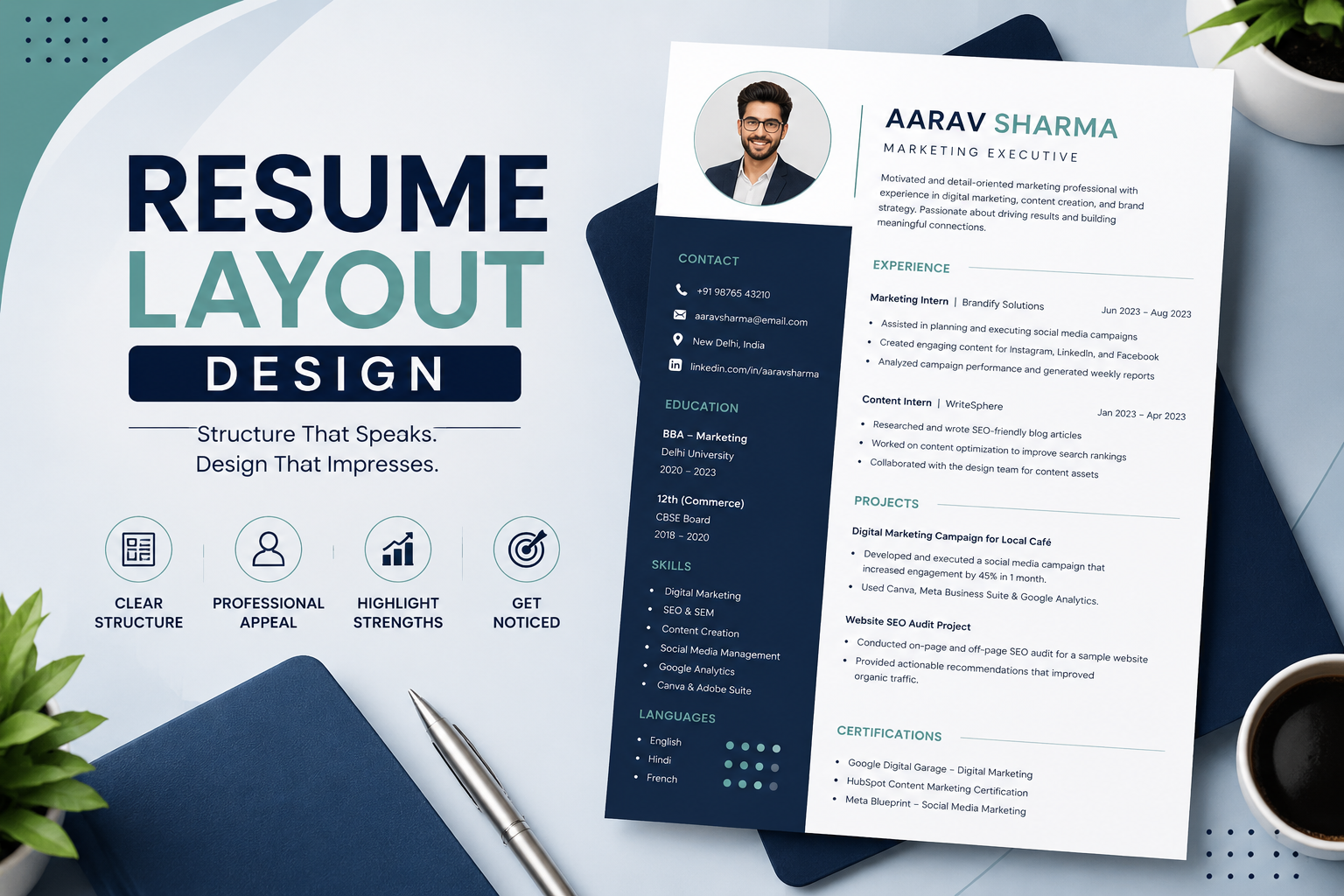
A strong resume is not only about what you write but also how you present it. The layout design of a resume plays a major role in making a great first impression. Recruiters often spend just a few seconds scanning a resume, so a clean and professional layout can make the difference between getting shortlisted and getting overlooked.
At CvDragon, we believe that an effective resume layout design should combine readability, structure, and professionalism. In this guide, we will explain the best practices for designing a resume layout that is visually appealing, ATS-friendly, and recruiter-ready.
Why Resume Layout Design Matters
The layout is the visual structure of your resume.
It controls how information is arranged on the page, how easy it is to scan, and how quickly a recruiter can find key details.
A good layout helps highlight:
- Your name and contact details
- Skills and qualifications
- Work experience
- Education
- Achievements
A poor layout can make even strong content look weak.
The Ideal Resume Layout Structure
A professional resume layout should follow a logical flow.
The most effective order is:
- Header / Contact Information
- Summary or Objective
- Skills
- Work Experience / Internships
- Education
- Certifications
- Projects
- Achievements / Additional Information
This structure allows recruiters to quickly scan the most important sections first.
Header Design
The top section of the resume should immediately grab attention.
Include:
- Full name
- Phone number
- Professional email
- LinkedIn profile
- City / location
Your name should be the most prominent element.
Use a slightly larger font size, such as 16–18 pt.
Example:
Rahul Sharma
Kolkata, West Bengal
+91 9876543210
rahul@email.com
Keep it clean and uncluttered.
Single-Column vs Two-Column Layout
This is one of the most common layout decisions.
Single-Column Layout
This is the safest and most ATS-friendly design.
It works best for:
- Corporate roles
- Freshers
- Most professional applications
Information flows from top to bottom.
This layout is simple, readable, and preferred by recruiters.
Two-Column Layout
This design splits the page into two vertical sections.
Example:
Left side:
- Skills
- Contact details
- Certifications
Right side:
- Experience
- Education
- Projects
This layout works well for creative roles but may sometimes cause ATS issues.
For most jobs, a single-column layout is recommended.
White Space and Spacing
One of the most important design principles is white space.
White space is the empty area between sections and margins.
It improves readability and prevents the resume from looking crowded.
Make sure there is enough spacing:
- Between section headings
- Between bullet points
- Between job roles
- Between paragraphs
A cluttered resume feels difficult to read.
Font and Typography Design
Typography directly impacts readability.
Best fonts include:
- Arial
- Calibri
- Helvetica
- Cambria
- Times New Roman
Use:
- 10–12 pt for body text
- 12–14 pt for headings
- 16–18 pt for your name
Use bold text for:
- Section headings
- Job titles
- Company names
Avoid decorative fonts.
Simplicity always looks more professional.
Section Heading Design
Headings should be visually distinct.
Examples:
PROFESSIONAL SUMMARY
SKILLS
WORK EXPERIENCE
Use bold formatting and slightly larger font size.
You may use one subtle accent color like dark blue or grey if appropriate.
Consistency is important.
Bullet Point Design
Avoid long paragraphs in a resume layout.
Use bullet points to improve scanning speed.
Example:
- Increased lead generation by 25%
- Managed client communication
- Created monthly reports
Short, impactful bullet points are easier to read.
Margin and Alignment Rules
Maintain balanced margins.
Best practice:
- 0.5 to 1 inch margins on all sides
Use left alignment for all text content.
Center alignment should be used only for your name if desired.
Alignment consistency makes the layout look polished.
Resume Layout for Freshers
Freshers should prioritize:
- Education
- Skills
- Internships
- Projects
- Certifications
A one-page layout works best.
Keep it simple and focused.
Resume Layout for Experienced Professionals
Experienced candidates should prioritize:
- Work experience
- Achievements
- Skills
- Leadership roles
A 1–2 page layout is acceptable.
Professional summaries become more important here.
ATS-Friendly Layout Design Rules
Modern hiring often involves ATS systems.
To make your layout ATS-friendly:
✔ Use simple headings
✔ Avoid text boxes
✔ Avoid tables
✔ Avoid icons and graphics
✔ Use PDF format
✔ Keep alignment clean
Highly designed resumes may look attractive but can fail ATS scans.
Common Resume Layout Mistakes
Avoid these design mistakes:
- Too much text in one section
- Poor spacing
- Multiple font styles
- Excessive colors
- Uneven margins
- Too many graphics
- Inconsistent bullet formatting
The layout should support content, not overpower it.
Final Thoughts
A strong resume layout design improves readability, professionalism, and shortlisting chances. It helps recruiters quickly understand your profile and creates a positive first impression.
At CvDragon, we recommend layouts that are simple, clean, and ATS-friendly. The best design is one that highlights your strengths without distractions.
Remember, recruiters first see the layout before they read the content.
Design it smartly, and let your achievements stand out.
Leave a Reply