Blog

  • Deep Learning Techniques for Students

    Deep Learning Techniques for Students

    In education, many students spend hours studying but still struggle to remember information after a few days. They read chapters repeatedly, highlight pages, and memorize notes, yet long-term understanding remains difficult. The problem is often not effort—it is the learning approach.

    This is where deep learning techniques become important. Deep learning in education does not mean artificial intelligence or machine learning. It refers to learning methods that help students understand concepts deeply, connect ideas, and retain knowledge for a longer time.

    At CvDragon, we believe effective learning is not about studying harder; it is about studying smarter. Deep learning techniques can help students move beyond memorization and develop real understanding.

    What Is Deep Learning in Education?

    Deep learning is a learning approach where students focus on understanding meaning rather than simply memorizing facts.

    Students practicing deep learning:

    • Ask questions
    • Connect ideas
    • Analyze information
    • Apply knowledge
    • Understand concepts deeply

    Instead of remembering information temporarily, they build long-term understanding.

    Why Deep Learning Matters

    Surface learning often leads to:

    • Forgetting information quickly
    • Difficulty applying knowledge
    • Weak conceptual understanding
    • Stress during exams

    Deep learning helps students:

    • Retain information longer
    • Improve problem-solving ability
    • Build critical thinking skills
    • Increase academic confidence
    • Apply learning in real situations

    The goal becomes understanding rather than memorization.

    Technique 1: Use Active Recall

    Many students reread notes repeatedly.

    However, rereading often creates familiarity rather than true learning.

    Active recall involves retrieving information from memory without looking at notes.

    Examples:

    • Answer questions from memory
    • Explain concepts aloud
    • Use flashcards
    • Write summaries without checking notes

    Retrieval strengthens memory pathways.

    Students remember information better when they actively pull it from memory.

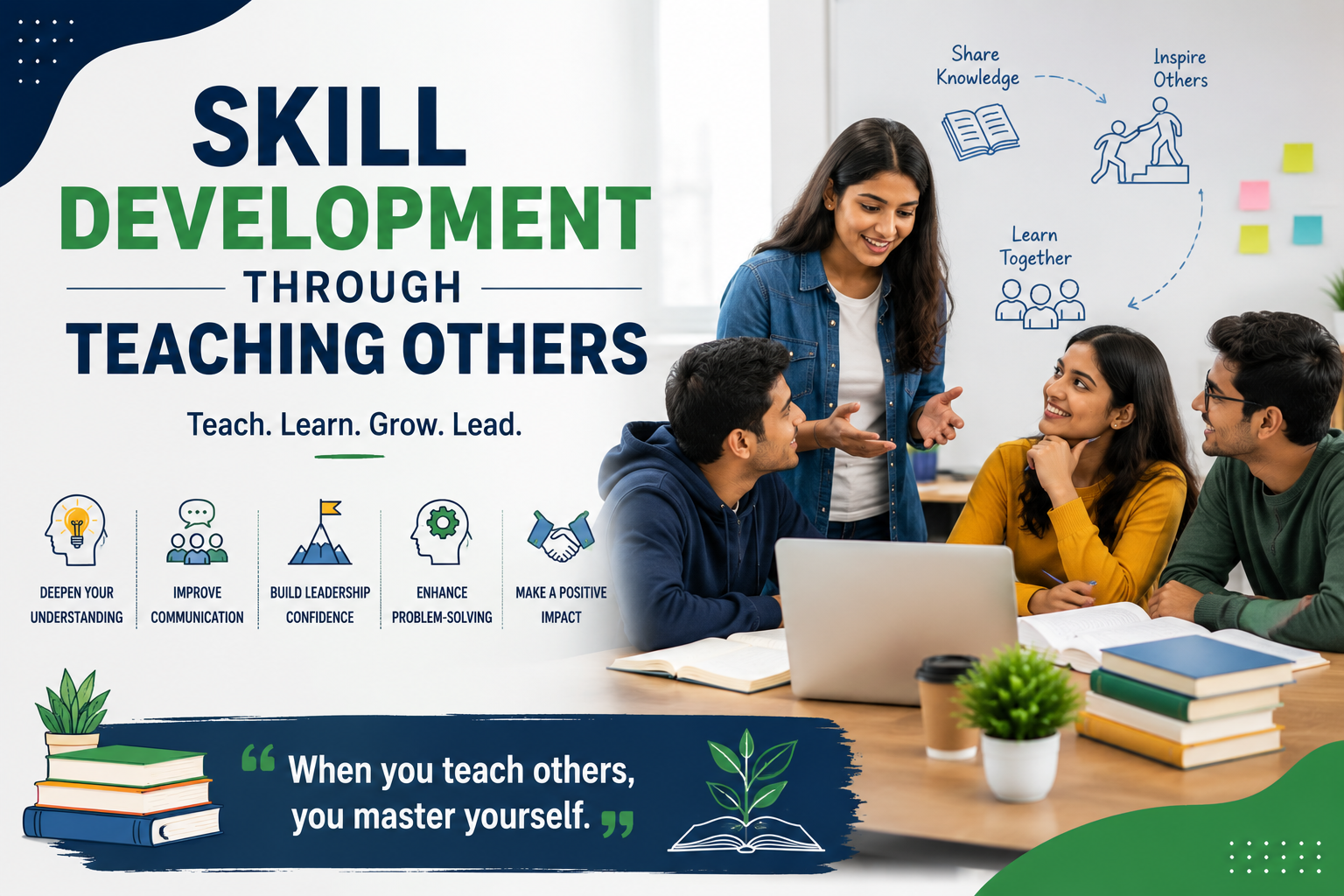
    Technique 2: Learn Through Teaching

    One of the strongest learning methods is teaching others.

    When students teach, they must:

    • Organize ideas
    • Simplify information
    • Identify confusion
    • Explain concepts clearly

    Teaching reveals weaknesses in understanding.

    If a topic is difficult to explain, more revision may be needed.

    The popular Feynman Technique, developed by Richard Feynman, follows this principle.

    Technique 3: Connect New Knowledge to Existing Knowledge

    The brain learns more effectively when information connects to what students already know.

    Ask:

    • How does this relate to previous topics?
    • Where have I seen this idea before?
    • What examples connect to real life?

    Connections create stronger understanding.

    Learning becomes meaningful rather than isolated.

    Technique 4: Ask Better Questions

    Deep learners ask questions beyond basic memorization.

    Examples:

    Instead of:

    “What is photosynthesis?”

    Ask:

    “Why is photosynthesis important?”
    “How would life change without it?”

    Questions encourage analysis and deeper thinking.

    Curiosity improves learning quality.

    Technique 5: Use Spaced Repetition

    Students often study intensively before exams and forget information afterward.

    Spaced repetition solves this problem.

    Review material over increasing intervals:

    • Day 1
    • Day 3
    • Day 7
    • Day 14

    This strengthens long-term retention.

    Repeated exposure over time helps prevent forgetting.

    Technique 6: Practice Interleaving

    Many students study one topic continuously for hours.

    Interleaving means mixing different subjects or concepts during study sessions.

    Example:

    Instead of:

    Math → 3 hours only

    Try:

    Math → Science → Language → Return to Math

    Switching topics trains the brain to retrieve information more actively.

    Learning becomes more flexible.

    Technique 7: Focus on Understanding Before Memorizing

    Students often rush into memorization.

    However, understanding should come first.

    Ask:

    • Why does this happen?
    • How does it work?
    • What causes this result?

    Strong understanding makes memorization easier.

    Memorizing without understanding creates fragile knowledge.

    Technique 8: Use Visual Learning Techniques

    Visual organization can improve understanding.

    Examples:

    • Mind maps
    • Flowcharts
    • Diagrams
    • Concept maps

    Visual tools help students organize relationships between ideas.

    Complex information becomes easier to process.

    Technique 9: Solve Problems Actively

    Learning remains incomplete without application.

    Students should:

    • Solve exercises
    • Practice problems
    • Apply concepts
    • Analyze case studies

    Application strengthens understanding.

    Knowledge becomes useful rather than theoretical.

    Technique 10: Reflect on Learning

    Reflection helps students evaluate understanding.

    Ask:

    • What did I learn today?
    • What confused me?
    • What needs more practice?

    Reflection strengthens awareness and learning quality.

    Short learning journals can help.

    Build a Deep Learning Environment

    Environment influences learning quality.

    Students should:

    • Reduce distractions
    • Study with focus
    • Set clear goals
    • Create structured routines

    Deep work often supports deep learning.

    Attention matters.

    Common Mistakes Students Should Avoid

    Avoid:

    Passive Rereading

    Reading repeatedly without testing understanding.

    Memorizing Without Meaning

    Learning facts without context.

    Multitasking

    Switching attention constantly.

    Studying Without Practice

    Knowledge requires application.

    Cramming Before Exams

    Last-minute studying often weakens retention.

    Deep learning requires consistency.

    Technology Can Support Deep Learning

    Digital tools can help students strengthen learning habits.

    Useful platforms include:

    • Notion
    • Anki
    • Quizlet

    These tools support active recall, organization, and long-term revision.

    Final Thoughts

    Deep learning techniques help students move beyond memorization toward meaningful understanding. Instead of focusing only on short-term exam performance, students develop stronger thinking skills and long-term retention.

    At CvDragon, we encourage students to study with curiosity, reflection, and active engagement. Learning becomes more effective when students understand deeply rather than memorize temporarily.

    Remember, successful learning is not measured by how much you study—it is measured by how well you understand and apply what you learn.

  • How Students Can Improve Reading Speed

    Reading is one of the most important skills students use throughout their academic journey. From textbooks and study materials to research articles and exam preparation, reading plays a major role in learning. However, many students often struggle with slow reading, which can make studying time-consuming and mentally exhausting.

    Improving reading speed does not mean rushing through pages without understanding the content. True reading improvement involves increasing speed while maintaining comprehension. Faster reading, combined with good understanding, can help students learn more efficiently and manage their time better.

    At CvDragon, we believe that reading is not just about finishing pages—it is about understanding information effectively and learning smarter.

    Why Reading Speed Matters

    Strong reading speed helps students:

    • Complete study material faster
    • Save time during exam preparation
    • Improve learning efficiency
    • Handle large amounts of information
    • Increase productivity
    • Reduce study stress

    Students who read efficiently can often revise more and feel less overwhelmed.

    The goal is not simply speed; it is balanced and effective reading.

    Understand Your Current Reading Habits

    Before improving speed, students should identify their current habits.

    Common reading habits include:

    • Reading word by word
    • Frequently rereading sentences
    • Losing focus often
    • Reading without a purpose
    • Subvocalizing excessively

    Understanding these habits helps identify areas for improvement.

    Stop Reading Every Word Individually

    One major reason students read slowly is because they focus on every single word.

    Skilled readers often process groups of words instead of individual words.

    For example:

    Instead of reading:

    “The student completed the assignment successfully”

    Word by word,

    Train your eyes to capture phrases together.

    Reading chunks improves speed and flow.

    Reduce Subvocalization

    Subvocalization means silently pronouncing every word in your mind while reading.

    Many students naturally do this.

    Although some inner speech is normal, excessive subvocalization can slow reading speed.

    To reduce it:

    • Focus on understanding ideas instead of individual words
    • Increase reading rhythm
    • Practice reading slightly faster than your comfort level

    The goal is not eliminating it completely, but reducing dependency.

    Use a Pointer or Visual Guide

    Your eyes sometimes move backward unintentionally while reading.

    Using a finger, pen, or cursor as a guide can help maintain direction.

    This method:

    • Reduces unnecessary eye movement
    • Improves focus
    • Creates a smoother reading pace

    Many students notice improvements with simple visual tracking.

    Avoid Constant Rereading

    Some students repeatedly go back and reread sentences immediately.

    This habit, called regression, slows reading.

    Occasional rereading is useful for difficult topics, but excessive repetition reduces efficiency.

    Instead:

    Continue reading and review only if understanding becomes unclear.

    Trust your comprehension process.

    Read with a Purpose

    Reading becomes more effective when you know why you are reading.

    Ask:

    • What am I looking for?
    • What information matters most?
    • What should I remember?

    Purpose-driven reading improves concentration.

    Students process information more efficiently when they have clear goals.

    Practice Active Reading

    Passive reading often reduces engagement.

    Instead:

    • Highlight key points
    • Ask questions
    • Take short notes
    • Summarize sections

    Active reading keeps the brain involved.

    Engagement naturally improves both comprehension and speed.

    Increase Focus While Reading

    Reading speed decreases when attention constantly shifts.

    Create a focused environment:

    • Silence notifications
    • Reduce distractions
    • Keep study materials organized

    Focused reading sessions are usually more effective than distracted, lengthy sessions.

    Attention influences reading performance significantly.

    Expand Vocabulary

    Students often slow down because they encounter unfamiliar words.

    Building vocabulary helps readers process information faster.

    Ways to improve vocabulary:

    • Read regularly
    • Learn new words daily
    • Use context clues
    • Maintain a vocabulary journal

    The more words you recognize instantly, the smoother reading becomes.

    Practice Daily

    Reading speed improves through repetition.

    Even 15–20 minutes of focused reading each day can help.

    Practice materials can include:

    • Articles
    • Books
    • Academic materials
    • Essays
    • Newspapers

    Consistency matters more than intensity.

    Small improvements accumulate over time.

    Try Timed Reading Exercises

    Students can track progress through timed practice.

    Example:

    • Read for five minutes
    • Measure pages or words completed
    • Check understanding afterward

    Over time, students can observe improvement.

    Tracking creates motivation.

    Different Materials Require Different Speeds

    Not all reading should be fast.

    Examples:

    Textbooks

    Require slower, deeper understanding.

    Research Papers

    Need careful analysis.

    General Reading

    Can often be read more quickly.

    Adjust speed depending on the purpose.

    Reading efficiently does not mean reading everything rapidly.

    Improve Physical and Mental Energy

    Reading quality depends on overall well-being.

    Factors affecting reading speed include:

    • Sleep quality
    • Stress levels
    • Hydration
    • Mental fatigue

    Healthy routines support concentration and cognitive performance.

    Common Mistakes Students Should Avoid

    Avoid these habits:

    • Prioritizing speed over understanding
    • Multitasking while reading
    • Reading while distracted
    • Expecting instant results
    • Skipping comprehension checks

    Balanced improvement works best.

    Technology Can Support Reading Practice

    Students can also use digital tools for practice and learning support.

    Apps like Kindle and Pocket help organize reading habits and encourage regular practice.

    Technology should support learning, not become another distraction.

    Final Thoughts

    Improving reading speed is not about racing through pages. It is about training your mind and eyes to process information more effectively while maintaining understanding.

    At CvDragon, we encourage students to focus on steady improvement, active reading, and consistent practice. Strong reading skills save time, improve learning, and support long-term academic success.

    Remember, reading faster is valuable—but understanding better is even more important.

  • Building Focus in a Distracted World

    Building Focus in a Distracted World

    Modern students live in a world filled with constant notifications, endless scrolling, and information overload. Smartphones, social media, messaging apps, streaming platforms, and multitasking habits compete for attention every day. While technology offers incredible opportunities, it also creates one major challenge: maintaining focus.

    Many students struggle to stay attentive for long periods. They sit down to study, but within minutes they switch tabs, check messages, or lose concentration. The problem is not always a lack of motivation—it is often an environment designed to capture attention.

    At CvDragon, we believe focus is not a talent people are born with. It is a skill that can be developed through habits, awareness, and consistent practice.

    Why Focus Matters

    Focus is the ability to direct your attention toward a task without unnecessary distractions.

    Strong focus helps students:

    • Learn faster
    • Retain information better
    • Complete tasks efficiently
    • Improve productivity
    • Reduce stress
    • Strengthen problem-solving abilities

    When attention becomes scattered, learning quality decreases.

    Studying for three highly focused hours can often be more effective than spending six distracted hours.

    Understanding the Modern Attention Problem

    Today’s digital environment constantly competes for attention.

    Students face distractions such as:

    • Social media notifications
    • Video platforms
    • Text messages
    • Gaming
    • Multitasking habits
    • Continuous internet browsing

    Many platforms are designed to encourage repeated engagement.

    As a result, attention becomes fragmented.

    Switching repeatedly between tasks makes it harder for the brain to sustain deep concentration.

    Multitasking Is Often a Hidden Productivity Trap

    Students frequently believe multitasking saves time.

    Examples include:

    • Studying while checking messages
    • Watching videos while taking notes
    • Switching between several tabs constantly

    However, the brain does not truly focus on multiple demanding tasks simultaneously.

    Instead, it rapidly switches attention.

    Frequent switching creates mental fatigue and reduces learning quality.

    Single-task focus is usually more effective.

    Create a Dedicated Study Environment

    Your surroundings strongly influence attention.

    A study space should:

    • Be organized
    • Have minimal distractions
    • Be comfortable
    • Support concentration

    Even small environmental improvements can help.

    Examples:

    • Clear unnecessary items
    • Keep study materials nearby
    • Reduce noise when possible

    A focused environment supports a focused mind.

    Remove Digital Distractions

    Phones are one of the biggest attention disruptors.

    Even seeing a phone nearby can reduce concentration.

    Students can improve focus by:

    • Turning off notifications
    • Keeping phones away during study sessions
    • Using focus modes
    • Logging out of distracting apps temporarily

    Small changes create meaningful results.

    Use Time Blocking

    Long study sessions can feel overwhelming.

    Instead, divide work into focused time periods.

    Example:

    • Study for 25–50 minutes
    • Take a short break
    • Return refreshed

    Structured sessions improve concentration and reduce mental exhaustion.

    Working with time often feels easier than working without boundaries.

    Set Clear Study Goals

    Unclear goals create confusion.

    Instead of saying:

    “I’ll study today.”

    Be specific:

    • Complete one chapter
    • Solve ten problems
    • Finish revision notes

    Clear goals give attention a target.

    Focus improves when students know exactly what they are trying to accomplish.

    Train Your Brain Gradually

    Focus is similar to a muscle.

    Expecting instant concentration for several hours can be unrealistic.

    Start small:

    • Focus for 20 minutes
    • Increase gradually
    • Build consistency over time

    Small improvements accumulate.

    Long-term focus develops through repeated practice.

    Practice Active Learning

    Passive studying often creates boredom.

    Students become more engaged when learning actively.

    Examples include:

    • Teaching concepts aloud
    • Solving problems
    • Writing summaries
    • Asking questions
    • Creating mind maps

    Active involvement naturally improves attention.

    Get Enough Sleep

    Sleep strongly affects focus.

    Students who sleep poorly often experience:

    • Mental fatigue
    • Reduced memory
    • Difficulty concentrating
    • Lower motivation

    Quality sleep supports:

    • Attention
    • learning efficiency
    • decision-making
    • emotional balance

    Studying longer while sleeping less often creates weaker results.

    Manage Mental Clutter

    Sometimes distraction comes from internal thoughts rather than external devices.

    Students may feel distracted by:

    • Stress
    • Worry
    • Deadlines
    • Personal concerns

    Writing tasks down or creating daily plans can reduce mental overload.

    Clearing your mind creates more space for concentration.

    Learn to Be Comfortable with Boredom

    Modern technology provides constant stimulation.

    As a result, quiet study sessions may initially feel uncomfortable.

    Students often reach for their phones the moment boredom appears.

    However, boredom can train attention.

    Learning to sit with temporary discomfort strengthens focus over time.

    Take Breaks Without Guilt

    Continuous studying does not always mean productive studying.

    Short breaks help:

    • Refresh attention
    • Reduce fatigue
    • Improve motivation

    Rest is not laziness.

    Recovery supports better performance.

    Build Consistency Instead of Perfection

    Many students expect perfect focus every day.

    That is unrealistic.

    Some days will feel easier than others.

    Progress matters more than perfection.

    Even improving concentration slightly each week creates long-term results.

    Daily Habits That Support Focus

    Small routines can improve attention significantly:

    • Start studying at the same time daily
    • Plan tasks in advance
    • Limit unnecessary screen use
    • Exercise regularly
    • Stay hydrated
    • Reduce clutter

    Simple habits often create powerful outcomes.

    Final Thoughts

    Building focus in a distracted world is one of the most valuable skills students can develop. Attention is becoming increasingly difficult to protect, but with the right habits and environment, students can train themselves to concentrate more effectively.

    At CvDragon, we encourage students to treat focus as a skill that grows through practice—not as something fixed or automatic.

    Remember, success rarely comes from doing more things at once. It often comes from giving your full attention to the one thing that matters most.

  • How Students Can Use AI Tutors

    How Students Can Use AI Tutors

    Artificial Intelligence is transforming education in ways that were difficult to imagine a few years ago. Today, students no longer rely only on textbooks, classrooms, or traditional study methods. AI-powered tools are becoming personal learning companions, helping students study smarter, practice better, and learn at their own pace.

    One of the most exciting developments in education is the rise of AI tutors. These digital learning assistants can explain concepts, answer questions, provide feedback, and personalize study experiences. When used correctly, AI tutors can become powerful tools for academic growth.

    At CvDragon, we believe students should learn how to use technology strategically—not as a replacement for learning, but as a support system that improves it.

    What Are AI Tutors?

    AI tutors are software tools or virtual assistants that use artificial intelligence to help students learn.

    Unlike traditional learning resources, AI tutors can:

    • Answer questions instantly
    • Explain difficult topics
    • Adapt to learning styles
    • Generate practice questions
    • Provide personalized feedback
    • Support self-paced learning

    They function like digital study partners available anytime.

    Popular examples include ChatGPT, Khan Academy with AI learning features, and Duolingo with AI-powered learning support.

    Why AI Tutors Are Becoming Popular

    Students often face challenges such as:

    • Limited study support
    • Difficulty understanding concepts
    • Lack of personalized guidance
    • Fear of asking questions

    AI tutors help solve many of these problems.

    They are:

    • Available 24/7
    • Patient and responsive
    • Personalized
    • Accessible from anywhere

    Students can learn without pressure or embarrassment.

    Use AI Tutors for Concept Explanations

    One of the best uses of AI tutors is understanding difficult topics.

    Instead of searching through multiple websites, students can ask:

    • “Explain photosynthesis simply”
    • “What is digital marketing?”
    • “Teach me accounting basics”

    AI tutors can simplify concepts and adjust explanations based on your level.

    This makes learning easier and faster.

    Ask Follow-Up Questions

    Traditional learning resources may not answer every doubt immediately.

    AI tutors allow students to ask follow-up questions such as:

    • “Can you explain this with an example?”
    • “Explain it in simpler language.”
    • “Why does this happen?”

    This creates an interactive learning experience.

    Learning becomes more conversational and personalized.

    Use AI for Practice Questions

    Practice is essential for skill development.

    Students can ask AI tutors to generate:

    • Quiz questions
    • Multiple-choice questions
    • Problem-solving exercises
    • Essay prompts
    • Mock interview questions

    This provides unlimited practice opportunities.

    Regular practice improves understanding and retention.

    Learn at Your Own Pace

    One challenge in traditional classrooms is that everyone learns differently.

    Some students need:

    • More examples
    • Slower explanations
    • Additional practice

    AI tutors support self-paced learning.

    Students can revisit concepts without feeling rushed.

    Use AI for Revision

    AI tutors can make revision more effective.

    Students can ask:

    • Summarize this chapter
    • Create flashcards
    • Generate short notes
    • Explain key points

    This saves time and helps organize information quickly.

    Revision becomes more structured.

    Improve Writing Skills

    AI tutors can help students improve:

    • Grammar
    • Sentence structure
    • Clarity
    • Vocabulary
    • Essay organization

    Students can submit writing drafts and request suggestions.

    This helps build stronger communication skills.

    Use AI for Skill Development

    AI tutors are not limited to academic subjects.

    Students can learn:

    • Coding
    • Communication skills
    • Resume writing
    • Public speaking
    • Digital marketing
    • Language learning

    AI creates opportunities for continuous self-improvement.

    Use AI for Personalized Learning Plans

    Students often struggle with study planning.

    AI tutors can help create:

    • Weekly schedules
    • Study roadmaps
    • Revision plans
    • Learning goals

    This improves organization and consistency.

    Combine AI with Traditional Learning

    AI should support—not replace—teachers and books.

    Students should continue using:

    • Textbooks
    • Classroom learning
    • Practice exercises
    • Discussions with teachers

    AI works best as a supplementary tool.

    Balance is important.

    Be Careful About Accuracy

    AI tools are helpful, but they are not perfect.

    Sometimes AI may:

    • Provide incomplete answers
    • Make factual mistakes
    • Oversimplify topics

    Students should verify important information using reliable sources and teachers.

    Critical thinking remains essential.

    Avoid Overdependence on AI

    Some students may become overly dependent on AI-generated answers.

    Avoid:

    • Copying assignments directly
    • Skipping independent thinking
    • Using AI instead of practicing

    The goal is learning—not shortcuts.

    AI should guide thinking, not replace it.

    Best Practices for Using AI Tutors

    To get better results:

    ✔ Ask specific questions
    ✔ Request examples
    ✔ Practice actively
    ✔ Verify important information
    ✔ Use AI regularly but responsibly

    The quality of questions often determines the quality of answers.

    The Future of AI in Education

    AI tutors are becoming smarter and more personalized.

    Future systems may provide:

    • Real-time adaptive learning
    • Personalized study strategies
    • Emotional learning support
    • Advanced skill assessment

    Students who learn to use AI effectively today may gain important advantages tomorrow.

    Final Thoughts

    AI tutors are transforming how students learn by making education more personalized, flexible, and accessible. They help explain concepts, support practice, and encourage self-paced learning.

    At CvDragon, we encourage students to use AI thoughtfully and strategically. Technology becomes powerful when combined with curiosity, discipline, and active learning.

    Remember, AI is not a replacement for effort—it is a tool that can help students learn smarter and grow faster.

  • Importance of Learning by Teaching

    Many students believe learning happens only through reading books, watching lectures, or taking notes. While these methods are valuable, one of the most powerful and scientifically supported ways to strengthen understanding is often overlooked: learning by teaching.

    The idea is simple—when you teach a concept to someone else, you understand it more deeply yourself. Whether you explain a chapter to a friend, discuss ideas in a study group, or teach concepts aloud to yourself, the process forces your brain to organize, simplify, and truly understand information.

    At CvDragon, we encourage students to use active learning methods, and learning by teaching is one of the most effective strategies for long-term academic growth.

    What Is Learning by Teaching?

    Learning by teaching is a study approach where students explain concepts to others as a way to improve their own understanding.

    Instead of passively consuming information, students actively process and communicate what they know.

    Examples include:

    • Teaching classmates before exams
    • Explaining concepts to siblings or friends
    • Participating in group discussions
    • Presenting topics in class
    • Teaching yourself out loud

    The goal is not to become an expert teacher—it is to strengthen learning through explanation.

    Why Teaching Improves Learning

    Teaching requires more than memorization.

    When students teach, they must:

    • Organize information logically
    • Simplify difficult concepts
    • Recall knowledge from memory
    • Identify gaps in understanding
    • Answer questions

    This deeper mental effort improves understanding and retention.

    Instead of simply recognizing information, students actively work with it.

    The Brain Learns Better Through Active Recall

    Many students repeatedly reread notes and textbooks.

    However, rereading creates familiarity—not necessarily understanding.

    Teaching forces active recall, which means pulling information from memory without looking at notes.

    Active recall strengthens memory pathways and improves long-term retention.

    The more frequently information is retrieved, the easier it becomes to remember later.

    Teaching Reveals Knowledge Gaps

    Students often feel confident until they try to explain a topic.

    Then they realize:

    • Certain concepts feel unclear
    • Explanations become confusing
    • Important details are missing

    This is valuable.

    Teaching quickly reveals areas that need more revision.

    You cannot effectively explain something you do not fully understand.

    Recognizing these gaps improves learning efficiency.

    Simplifying Information Builds Mastery

    A strong sign of understanding is the ability to explain something simply.

    When students teach:

    • Complex ideas become clearer
    • Information becomes organized
    • Learning becomes structured

    If you can explain a difficult concept in simple words, your understanding becomes stronger.

    Clarity often comes from explanation.

    Learning by Teaching Improves Confidence

    Teaching also develops confidence.

    Students who regularly explain concepts often become:

    • Better communicators
    • More comfortable speaking publicly
    • More confident in discussions
    • Stronger problem-solvers

    Academic confidence grows when students realize they truly understand a subject.

    The Feynman Technique: Learning Through Teaching

    One popular approach is the Feynman Technique, inspired by Richard Feynman.

    The process works like this:

    1. Choose a topic
    2. Explain it using simple language
    3. Identify areas of confusion
    4. Review and improve understanding
    5. Simplify further

    This method transforms passive studying into active learning.

    Learning by Teaching Helps Exam Preparation

    Many students rely heavily on last-minute revision.

    Teaching offers a stronger approach.

    Before exams, students can:

    • Explain chapters aloud
    • Teach friends
    • Conduct quick review sessions
    • Discuss important questions

    This improves recall speed and reduces exam stress.

    Teaching Works for Every Subject

    Learning by teaching is not limited to one field.

    Mathematics

    Explain formulas and problem-solving steps.

    Science

    Teach processes and concepts.

    Business Studies

    Explain theories and case studies.

    Languages

    Teach grammar or vocabulary.

    Law

    Explain legal principles and arguments.

    Almost every subject becomes stronger through explanation.

    Study Groups Can Support Teaching

    Study groups provide opportunities for collaborative learning.

    Students can:

    • Take turns explaining topics
    • Ask questions
    • Correct misunderstandings
    • Share different perspectives

    Teaching within groups improves engagement and understanding.

    How Students Can Start Learning by Teaching

    You do not need a classroom to use this strategy.

    Simple methods include:

    • Teach an imaginary audience
    • Explain concepts to family members
    • Record yourself explaining lessons
    • Write simple explanations
    • Create mini presentations

    Even speaking aloud while studying can help.

    Common Mistakes to Avoid

    Some students misunderstand the process.

    Avoid:

    Memorizing Scripts

    Teaching should focus on understanding, not reciting.

    Overcomplicating Explanations

    Simple explanations work better.

    Ignoring Mistakes

    Confusion during teaching is useful—it highlights areas for improvement.

    Teaching Without Reviewing

    Preparation still matters.

    Teaching works best after initial learning.

    Long-Term Benefits of Learning by Teaching

    Students who regularly teach often develop:

    • Stronger communication skills
    • Better retention
    • Deeper understanding
    • Improved confidence
    • Lifelong learning habits

    These benefits extend beyond academics into careers and professional life.

    Final Thoughts

    Learning by teaching transforms students from passive learners into active thinkers. It strengthens memory, reveals gaps in understanding, and builds confidence.

    At CvDragon, we encourage students to move beyond reading and start explaining what they learn. Teaching is not just a way to help others—it is one of the best ways to help yourself learn better.

    Remember, if you can teach it clearly, you probably understand it deeply.

  • Resume Ranking Strategies

    Resume Ranking Strategies

    In today’s hiring landscape, getting your resume noticed is no longer just about qualifications. Before a recruiter reads your application, your resume often competes against hundreds of others inside an Applicant Tracking System (ATS). These systems sort, score, and rank resumes based on how well they align with a job posting.

    This means a strong candidate can still get overlooked if their resume is not optimized correctly. Understanding resume ranking strategies can significantly improve your chances of moving higher in recruiter searches and ATS results.

    At CvDragon, we help job seekers create resumes that rank better, attract recruiter attention, and improve interview opportunities.

    What Is Resume Ranking?

    Resume ranking refers to how ATS software organizes and prioritizes applications based on relevance.

    Systems often analyze:

    • Keywords
    • Skills
    • Job titles
    • Experience
    • Education
    • Certifications
    • Resume structure

    Resumes with stronger alignment to the job description usually appear higher in recruiter search results.

    Higher ranking increases visibility.

    Why Resume Ranking Matters

    Recruiters often receive hundreds of applications for a single role.

    Instead of reviewing every application manually, ATS platforms like Workday and Greenhouse help prioritize candidates.

    A higher-ranked resume can:

    • Increase recruiter visibility
    • Improve shortlisting chances
    • Reduce filtering risks
    • Reach recruiters faster

    Strong qualifications alone are not always enough.

    Strategy 1: Study the Job Description Carefully

    The job description is your roadmap.

    Read it carefully and identify:

    • Required skills
    • Responsibilities
    • Keywords
    • Tools
    • Qualifications

    Pay close attention to repeated words.

    Repeated terms are often high-priority ranking signals.

    Strategy 2: Use Relevant Keywords Naturally

    Keywords remain one of the most important ranking factors.

    Examples:

    Marketing

    • SEO
    • Content Strategy
    • Lead Generation

    HR

    • Recruitment
    • Employee Relations
    • Payroll

    Finance

    • Financial Analysis
    • Auditing
    • Budgeting

    Place keywords naturally in:

    • Summary
    • Skills section
    • Experience
    • Projects

    Avoid keyword stuffing.

    Strategy 3: Customize Your Resume for Every Job

    One resume should not be sent to every employer.

    Different companies prioritize different skills.

    For example:

    Job A may require:

    • Social Media Marketing
    • Content Writing

    Job B may require:

    • SEO
    • Analytics

    Customization improves relevance and ranking.

    Strategy 4: Write a Strong Professional Summary

    Recruiters often read the summary first.

    A strong summary should include:

    • Target role
    • Years of experience
    • Key skills
    • Professional strengths

    Example:

    “Marketing professional with expertise in SEO, content strategy, and campaign management.”

    This improves both ATS matching and recruiter attention.

    Strategy 5: Focus on Achievement-Based Experience

    ATS and recruiters value measurable impact.

    Weak statement:

    “Responsible for social media management.”

    Stronger statement:

    “Increased social media engagement by 35% within four months.”

    Numbers create stronger relevance and credibility.

    Strategy 6: Use Standard Job Titles

    ATS systems often compare previous roles with target positions.

    Use recognizable titles such as:

    ✔ Marketing Executive
    ✔ HR Associate
    ✔ Data Analyst

    Avoid:

    ✘ Growth Ninja
    ✘ Brand Rockstar

    Clear titles improve matching.

    Strategy 7: Build a Strong Skills Section

    A dedicated skills section helps ATS identify qualifications quickly.

    Example:

    Skills

    • SEO
    • MS Excel
    • Communication
    • Project Management
    • Data Analysis

    Include a mix of technical and soft skills.

    Strategy 8: Keep Formatting ATS-Friendly

    Poor formatting can reduce ranking because ATS may struggle to read the resume.

    Use:

    ✔ Single-column design
    ✔ Standard headings
    ✔ Bullet points
    ✔ Professional fonts

    Avoid:

    ✘ Tables
    ✘ Graphics
    ✘ Text boxes
    ✘ Complex designs

    Simple formatting improves parsing accuracy.

    Strategy 9: Include Relevant Certifications

    Certifications help strengthen ranking.

    Examples:

    • Google Analytics Certification
    • Advanced Excel
    • Project Management
    • HR Analytics

    Certifications show initiative and relevant expertise.

    Strategy 10: Add Relevant Projects

    Projects demonstrate practical experience.

    Especially for students and freshers, projects can improve ranking significantly.

    Examples:

    • Consumer behavior analysis
    • Website SEO project
    • Data visualization project

    Practical work helps bridge experience gaps.

    Strategy 11: Match Industry Language

    Every industry has its own terminology.

    Examples:

    Marketing:

    • Lead generation
    • Conversion optimization

    Finance:

    • Financial reporting
    • Risk assessment

    Using industry-specific language improves ATS relevance.

    Strategy 12: Maintain Resume Readability

    Even if ATS ranks your resume highly, recruiters still review it.

    Make sure your resume is:

    • Easy to scan
    • Well-structured
    • Cleanly formatted
    • Concise

    Optimization should not hurt readability.

    Common Resume Ranking Mistakes

    Avoid these common errors:

    • Sending generic resumes
    • Missing keywords
    • Using poor formatting
    • Writing vague achievements
    • Overusing keywords
    • Adding irrelevant information

    These mistakes reduce both ATS and recruiter performance.

    Resume Ranking for Freshers

    Students and fresh graduates can improve ranking through:

    • Skills
    • Internships
    • Certifications
    • Projects
    • Academic achievements

    You do not need years of experience to rank well.

    Relevance matters more.

    Final Thoughts

    Resume ranking strategies are about alignment, clarity, and relevance. Strong resumes rank better when they closely match employer requirements while remaining easy to read.

    At CvDragon, we recommend focusing on smart customization, keyword placement, ATS-friendly formatting, and measurable achievements.

    Remember, a high-ranking resume does not happen by accident—it is built intentionally. Optimize carefully, present your value clearly, and improve your chances of reaching the interview stage.

  • Job Description Matching

    Job Description Matching

    One of the biggest reasons resumes get rejected today is poor alignment with the job description. Many candidates apply with a generic resume and assume their qualifications alone are enough. However, modern recruitment systems and recruiters look for one important factor: job description matching.

    A resume that closely matches the job description has a much higher chance of passing Applicant Tracking Systems (ATS) and getting shortlisted by recruiters. At CvDragon, we help job seekers understand how to tailor their resumes strategically for every role.

    This guide explains what job description matching is, why it matters, and how students and professionals can do it effectively.

    What Is Job Description Matching?

    Job description matching is the process of aligning your resume with the specific requirements, skills, and keywords mentioned in a job posting.

    It involves customizing your resume so that it reflects:

    • Required skills
    • Relevant experience
    • Job-related keywords
    • Industry terminology
    • Responsibilities mentioned in the posting

    The goal is to show recruiters and ATS systems that you are a strong fit for the role.

    Why Job Description Matching Matters

    Most companies use ATS platforms such as Workday and Greenhouse to filter applications.

    These systems compare resumes with job descriptions and rank candidates based on relevance.

    A well-matched resume helps:

    • Improve ATS scores
    • Increase shortlisting chances
    • Show role relevance
    • Highlight suitable qualifications
    • Improve recruiter attention

    Without customization, even qualified candidates may get ignored.

    How Recruiters Use Job Descriptions

    Recruiters use job descriptions as a checklist.

    They compare your resume against:

    • Required skills
    • Experience level
    • Technical knowledge
    • Tools and software
    • Educational qualifications
    • Responsibilities handled

    The closer your profile matches the description, the better your chances.

    Step 1: Read the Job Description Carefully

    Most candidates scan job descriptions too quickly.

    Instead, analyze them properly.

    Pay attention to:

    • Required skills
    • Responsibilities
    • Qualifications
    • Keywords
    • Preferred tools
    • Industry terms

    Highlight repeated terms and important requirements.

    These are usually the highest-priority keywords.

    Step 2: Identify Important Keywords

    Keywords are one of the most important parts of job description matching.

    Examples:

    Marketing Role

    • SEO
    • Content Strategy
    • Social Media Marketing
    • Google Analytics

    HR Role

    • Recruitment
    • Employee Engagement
    • Payroll

    Finance Role

    • Financial Reporting
    • Budgeting
    • Auditing

    These keywords should appear naturally in your resume if you have those skills.

    Step 3: Match Your Skills Strategically

    Compare your existing skills with the job requirements.

    If the role requires:

    • Project Management
    • Data Analysis
    • Communication

    Ensure these are clearly included in your:

    • Skills section
    • Work experience
    • Projects
    • Summary

    Only include skills you genuinely possess.

    Step 4: Customize Your Resume Summary

    Your professional summary should reflect the target role.

    Generic summary:

    “Hardworking individual looking for opportunities.”

    Better summary:

    “Marketing graduate with skills in SEO, content strategy, and digital campaign management.”

    Tailored summaries improve recruiter engagement quickly.

    Step 5: Adjust Your Work Experience

    Your work experience should highlight relevant responsibilities and achievements.

    Example:

    Instead of:

    “Handled company tasks”

    Write:

    “Managed SEO campaigns and improved website traffic by 25%.”

    Use bullet points and measurable results whenever possible.

    Step 6: Use Relevant Job Titles

    ATS systems often compare job titles with the target role.

    Example:

    If applying for a “Digital Marketing Executive” role, related titles like:

    • Marketing Intern
    • SEO Associate
    • Content Marketing Executive

    can improve relevance.

    Avoid creative or unclear job titles.

    Step 7: Include Relevant Certifications

    Certifications help strengthen alignment with the job description.

    Examples:

    • Google Analytics
    • Advanced Excel
    • HR Analytics
    • Project Management Certification

    Relevant certifications improve credibility.

    Step 8: Focus on ATS-Friendly Formatting

    Even strong keyword matching can fail if formatting is poor.

    Use:

    ✔ Standard headings
    ✔ Single-column layout
    ✔ Bullet points
    ✔ Simple fonts

    Avoid:

    ✘ Graphics
    ✘ Tables
    ✘ Text boxes
    ✘ Complex designs

    ATS systems work best with clean formatting.

    Step 9: Avoid Keyword Stuffing

    Adding excessive keywords unnaturally can reduce readability.

    Bad example:

    “SEO expert with SEO skills in SEO strategy and SEO optimization.”

    Instead, use keywords naturally within meaningful sentences.

    Balance ATS optimization with human readability.

    Step 10: Customize Every Application

    One of the biggest mistakes candidates make is sending the same resume everywhere.

    Different roles require different emphasis.

    For example:

    • One marketing role may focus on SEO
    • Another may focus on social media strategy

    Tailoring your resume improves relevance significantly.

    Common Job Description Matching Mistakes

    Avoid these common errors:

    • Ignoring keywords
    • Using generic resumes
    • Adding irrelevant skills
    • Not customizing summaries
    • Overstuffing keywords
    • Using poor formatting

    Small mistakes can reduce your ATS ranking and recruiter interest.

    Job Description Matching for Freshers

    Freshers can still optimize resumes effectively.

    Focus on:

    • Skills
    • Projects
    • Internships
    • Certifications
    • Academic achievements

    Even without full-time experience, relevant alignment matters.

    Final Thoughts

    Job description matching is one of the most effective ways to improve your chances of getting shortlisted. It helps both ATS systems and recruiters recognize your suitability for a role quickly.

    At CvDragon, we recommend carefully analyzing every job description and tailoring your resume accordingly. A customized resume shows professionalism, attention to detail, and genuine interest in the role.

    Remember, successful resumes are not generic—they are targeted, relevant, and aligned with employer needs.

  • ATS Resume Mistakes

    ATS Resume Mistakes

    An Applicant Tracking System (ATS) is designed to scan, organize, and filter resumes before they reach recruiters. Many companies use ATS software to handle large volumes of job applications efficiently. However, even highly qualified candidates often get rejected because their resumes are not ATS-friendly. Small formatting errors, missing keywords, or poor structure can prevent a resume from being properly scanned and ranked.

    Understanding common ATS resume mistakes can significantly improve your chances of passing the initial screening process and reaching hiring managers.

    Using Complex Resume Designs

    One of the most common ATS mistakes is using overly designed resumes with graphics, tables, icons, text boxes, or multiple columns. While these designs may look visually appealing to humans, many ATS systems struggle to read them correctly.

    Simple and clean formatting works best. Use a professional layout with standard fonts, clear headings, and consistent spacing. Avoid decorative elements that may confuse the ATS parser.

    Choosing the Wrong File Format

    Some ATS platforms cannot properly read uncommon file formats. Submitting resumes in unsupported formats may result in incomplete or corrupted data during scanning.

    In most cases, PDF and DOCX are the safest formats unless the employer specifically requests a different one. Always follow the application instructions carefully.

    Missing Relevant Keywords

    ATS software searches resumes for keywords related to the job description. If your resume lacks important terms, skills, or qualifications, it may rank lower even if you are qualified.

    Carefully analyze the job posting and include relevant keywords naturally throughout your resume. These may include:

    • Technical skills
    • Certifications
    • Industry tools
    • Job titles
    • Software platforms
    • Core competencies

    For example, if a job description mentions “project management,” “data analysis,” or “SEO optimization,” those exact phrases should appear where applicable in your resume.

    Keyword Stuffing

    While keywords are important, overusing them unnaturally can harm your resume. ATS systems and recruiters can detect keyword stuffing, which makes resumes appear robotic and unprofessional.

    Use keywords strategically within meaningful sentences that describe your achievements and experience.

    Using Unclear Job Titles

    Creative job titles may sound impressive, but ATS software may not recognize them properly. For example, using “Sales Ninja” instead of “Sales Executive” can create confusion during keyword matching.

    Use standard industry-recognized job titles whenever possible so the ATS can accurately categorize your experience.

    Ignoring Resume Section Headings

    ATS systems rely on clear section headings to organize resume information. Using unconventional headings like “My Journey” instead of “Work Experience” may cause important information to be missed.

    Stick with standard headings such as:

    • Professional Summary
    • Work Experience
    • Education
    • Skills
    • Certifications
    • Projects

    This improves readability for both ATS software and recruiters.

    Including Graphics and Images

    Photos, logos, charts, and icons are usually unreadable by ATS systems. In some cases, they may even break resume parsing entirely.

    Keep resumes text-based and avoid unnecessary visuals unless specifically required for creative industries.

    Using Headers and Footers Incorrectly

    Some ATS software cannot properly read information placed inside headers or footers. If your phone number or email address is stored there, it may not be detected.

    Place all important contact details directly in the main body of the resume.

    Lack of Measurable Achievements

    Many resumes focus only on responsibilities rather than accomplishments. ATS systems may detect keywords, but recruiters also want measurable results.

    Instead of writing:

    “Managed social media accounts”

    Write:

    “Increased social media engagement by 40% within six months through targeted content campaigns.”

    Quantifiable achievements improve both ATS performance and recruiter interest.

    Using Abbreviations Without Full Forms

    Some ATS systems search for exact keyword matches. Using abbreviations alone may reduce visibility.

    For example:

    • Write “Search Engine Optimization (SEO)”
    • Write “Human Resources (HR)”
    • Write “Customer Relationship Management (CRM)”

    This helps match both abbreviation-based and full-form searches.

    Poor Resume Formatting

    Inconsistent fonts, unusual symbols, excessive colors, and improper spacing can confuse ATS software.

    Best practices include:

    • Use standard fonts like Arial, Calibri, or Times New Roman
    • Maintain consistent formatting
    • Use bullet points for readability
    • Avoid special characters and fancy symbols

    Simple formatting increases ATS compatibility.

    Not Customizing the Resume

    Sending the same generic resume to every company is a major mistake. ATS systems compare resumes directly with job descriptions.

    Tailor your resume for each application by adjusting:

    • Keywords
    • Skills
    • Summary section
    • Experience highlights

    Customized resumes perform significantly better in ATS rankings.

    Adding Irrelevant Information

    Including outdated or unrelated experience can dilute important keywords and reduce resume focus.

    Keep your resume concise and relevant to the target role. Highlight experience, projects, and skills that directly align with the position.

    Using Fancy Fonts or Symbols

    ATS systems may not recognize decorative fonts or symbols properly. This can distort resume content during parsing.

    Stick with clean, professional fonts and avoid emojis or non-standard symbols.

    Failing to Include Skills Section

    A missing or weak skills section can lower ATS rankings because many systems specifically scan this area for keyword matches.

    Create a dedicated skills section that includes:

    • Technical skills
    • Software tools
    • Industry knowledge
    • Certifications
    • Soft skills relevant to the role

    Spelling and Grammar Errors

    Even small mistakes can impact ATS keyword matching and create a negative impression with recruiters.

    Always proofread carefully and use grammar-checking tools before submitting your resume.

    Overloading the Resume

    Long, cluttered resumes can reduce readability and dilute key information. Recruiters often spend only a few seconds reviewing resumes after ATS screening.

    Focus on concise, impactful content that clearly demonstrates your qualifications.

    Final Thoughts

    An ATS-friendly resume is not about tricking software—it is about creating a clear, professional, and optimized document that communicates your value effectively. By avoiding common ATS resume mistakes, candidates can improve their chances of passing automated screenings and getting noticed by recruiters.

    A strong ATS resume should combine strategic keyword optimization, clean formatting, measurable achievements, and role-specific customization. When done correctly, it increases both ATS rankings and human readability, giving job seekers a stronger competitive advantage in today’s hiring market.

  • Resume Optimization Tools

    In today’s competitive job market, simply having a resume is not enough. Your resume must be optimized to pass Applicant Tracking Systems (ATS), match job descriptions, and impress recruiters quickly. This is where resume optimization tools become extremely valuable.

    Modern resume tools use AI, keyword analysis, ATS simulations, and scoring systems to help job seekers improve their resumes and increase interview chances. At CvDragon, we believe these tools can be powerful when used correctly alongside strong resume writing practices.

    What Are Resume Optimization Tools?

    Resume optimization tools are platforms or software that analyze your resume and provide suggestions to improve:

    • ATS compatibility
    • Keyword matching
    • Resume formatting
    • Content quality
    • Readability
    • Job alignment

    Most tools compare your resume with a job description and identify gaps that may reduce your chances of getting shortlisted.

    Why Resume Optimization Matters

    Many companies now use ATS software to screen resumes before recruiters see them. Reports suggest a large percentage of resumes are filtered automatically due to formatting or keyword mismatches.

    Resume optimization tools help candidates:

    • Improve ATS scores
    • Add missing keywords
    • Tailor resumes faster
    • Improve formatting
    • Increase recruiter visibility

    These tools are especially useful for students, freshers, and candidates applying to multiple jobs.

    Key Features of Resume Optimization Tools

    A good resume optimization tool usually includes:

    ATS Resume Scanning

    Checks whether your resume can be read properly by ATS systems.

    Keyword Matching

    Compares your resume with job descriptions and identifies missing keywords.

    Resume Scoring

    Provides a score based on relevance and ATS compatibility.

    AI Suggestions

    Suggests stronger bullet points and achievement-focused wording.

    Formatting Review

    Detects design or layout issues that may confuse ATS systems.

    Resume Tailoring

    Customizes resumes for specific job roles.

    Popular Resume Optimization Tools

    Several platforms are widely used for ATS optimization and resume improvement.

    Jobscan

    One of the most popular ATS optimization tools.

    Key features:

    • Keyword matching
    • ATS score analysis
    • Resume vs job description comparison
    • Formatting checks

    Jobscan is known for detailed keyword analysis and ATS-focused recommendations.

    Rezi

    Rezi focuses heavily on ATS-friendly resume building.

    Features include:

    • AI resume writing
    • Keyword targeting
    • Resume scoring
    • ATS-friendly templates

    Many users praise Rezi for its clean formatting and strong ATS optimization features.

    Teal

    Teal combines resume optimization with job tracking tools.

    Features:

    • Resume customization
    • ATS keyword matching
    • Application tracking
    • AI suggestions

    It is useful for candidates managing multiple applications.

    Kickresume

    Kickresume offers both resume design and ATS optimization.

    Features:

    • AI-generated resume content
    • ATS-friendly templates
    • Cover letter builder
    • Resume scoring

    It is popular among students and fresh graduates.

    ResumeWorded

    ResumeWorded focuses on resume feedback and recruiter-style analysis.

    Features:

    • Resume scoring
    • LinkedIn optimization
    • Writing suggestions
    • Achievement-focused feedback

    Useful for improving resume language and clarity.

    How Resume Optimization Tools Work

    The process is usually simple:

    1. Upload your resume
    2. Paste the job description
    3. Run the analysis
    4. Review ATS score and feedback
    5. Improve keywords and formatting
    6. Re-scan the resume

    Most tools identify:

    • Missing skills
    • Weak bullet points
    • Formatting issues
    • Keyword gaps

    This helps improve relevance for the target role.

    Benefits of Using Resume Optimization Tools

    Faster Resume Customization

    Instead of editing resumes manually for every job, tools help automate the process.

    Better ATS Compatibility

    Optimization tools detect formatting problems that ATS may struggle to read.

    Improved Keyword Usage

    These tools help match resumes more closely with job descriptions.

    Stronger Resume Language

    AI suggestions often improve wording and impact.

    Increased Confidence

    Resume scoring gives candidates a clearer understanding of their resume quality.

    Limitations of Resume Optimization Tools

    While useful, these tools are not perfect.

    ATS Scores Are Estimates

    Different ATS systems work differently.

    A high score does not guarantee interviews.

    Over-Optimization Can Hurt

    Stuffing too many keywords can make resumes sound unnatural.

    Human Review Still Matters

    Recruiters still evaluate:

    • Clarity
    • Achievements
    • Communication quality
    • Professional value

    A resume must appeal to both ATS and humans.

    Best Practices While Using These Tools

    ✔ Use tools as guidance, not as the final decision-maker
    ✔ Keep language natural
    ✔ Focus on achievements and measurable results
    ✔ Avoid keyword stuffing
    ✔ Customize resumes for each role
    ✔ Maintain clean formatting

    Optimization tools should improve your resume—not completely replace your judgment.

    AI and the Future of Resume Optimization

    Recent research shows that AI-driven resume analysis and semantic matching systems are becoming more advanced. Modern systems increasingly evaluate context and skill relationships, not just exact keywords.

    This means future resume optimization will focus more on:

    • Skill relevance
    • Contextual matching
    • Experience quality
    • Semantic understanding

    Job seekers will need resumes that are both strategically optimized and genuinely informative.

    Final Thoughts

    Resume optimization tools can significantly improve your chances of getting shortlisted in today’s ATS-driven hiring process. They help identify weaknesses, improve keyword alignment, and create stronger resumes faster.

    At CvDragon, we recommend using these tools wisely—as support systems, not shortcuts. A great resume still depends on clear achievements, relevant skills, and professional presentation.

    Remember, optimization is not about tricking ATS systems. It is about clearly communicating your value in a way that both software and recruiters can understand.

  • ATS vs Recruiter Review

    ATS vs Recruiter Review

    When applying for jobs online, your resume usually goes through two important stages before you get shortlisted: the Applicant Tracking System (ATS) and the recruiter review. Many job seekers focus only on one side of the process, but success depends on optimizing your resume for both.

    Understanding the difference between ATS vs recruiter review can help you create a resume that passes automated screening while still impressing human recruiters.

    At CvDragon, we guide candidates in building resumes that balance technology and human readability effectively.

    What Is ATS?

    An Applicant Tracking System (ATS) is software used by companies to collect, organize, filter, and rank job applications.

    Popular ATS platforms include:

    • Workday
    • Greenhouse
    • Lever

    ATS acts as the first screening layer before a recruiter sees your resume.

    What Does ATS Do?

    ATS systems:

    • Scan resumes for keywords
    • Parse resume content
    • Rank applications
    • Filter unqualified candidates
    • Organize applicant data

    The software checks whether your resume matches the job description.

    If your resume performs well, it moves to the next stage.

    What Is Recruiter Review?

    After passing ATS, your resume is reviewed by a human recruiter or hiring manager.

    Unlike ATS, recruiters focus on:

    • Overall impression
    • Achievements
    • Experience quality
    • Career progression
    • Communication clarity
    • Professional presentation

    Recruiters evaluate whether you are genuinely suitable for the role.

    Key Difference Between ATS and Recruiter Review

    ATS Focuses on Technical Matching

    ATS looks for:

    • Keywords
    • Skills
    • Job titles
    • Formatting compatibility

    It uses algorithms and automated screening.

    Recruiters Focus on Human Value

    Recruiters assess:

    • Impact and achievements
    • Communication quality
    • Relevance of experience
    • Career potential
    • Personality indicators

    They evaluate the story behind the resume.

    How ATS Reads Your Resume

    ATS systems scan resumes section by section.

    They identify:

    • Contact details
    • Skills
    • Education
    • Work experience

    The system compares your resume with the job description.

    For example:

    If the role requires:

    • SEO
    • Data Analysis
    • Project Management

    ATS searches for these terms in your resume.

    Missing keywords can reduce your ranking.

    How Recruiters Read Your Resume

    Recruiters usually scan resumes quickly—often within a few seconds initially.

    They focus on:

    • Resume summary
    • Key achievements
    • Recent experience
    • Measurable results
    • Overall readability

    Recruiters want clear evidence that you can solve problems and add value.

    ATS-Friendly vs Recruiter-Friendly Resume

    A strong resume should satisfy both systems.

    ATS-Friendly Features

    ✔ Standard headings
    ✔ Relevant keywords
    ✔ Simple formatting
    ✔ Bullet points
    ✔ Single-column layout

    Recruiter-Friendly Features

    ✔ Clear achievements
    ✔ Professional appearance
    ✔ Strong summary
    ✔ Easy readability
    ✔ Quantified results

    The best resumes combine both approaches.

    Common ATS Mistakes

    Many resumes fail ATS screening due to:

    • Missing keywords
    • Complex formatting
    • Tables and graphics
    • Unusual section headings
    • Keyword stuffing

    Even strong candidates can get rejected if the ATS cannot read the resume properly.

    Common Recruiter Rejection Reasons

    Even after passing ATS, recruiters may reject resumes because of:

    • Weak achievements
    • Poor grammar
    • Generic content
    • Lack of relevance
    • Long paragraphs
    • Unclear career direction

    Passing ATS does not guarantee interviews.

    Example of ATS vs Recruiter Perspective

    ATS Perspective

    The system checks:

    ✔ Does the resume contain required keywords?
    ✔ Is the format readable?
    ✔ Does the candidate meet minimum criteria?

    Recruiter Perspective

    The recruiter asks:

    ✔ Has the candidate shown impact?
    ✔ Are achievements measurable?
    ✔ Is the experience relevant?
    ✔ Does the profile stand out?

    Both perspectives are important.

    How to Optimize for ATS and Recruiters

    Use Relevant Keywords Naturally

    Include terms from the job description, but use them meaningfully.

    Focus on Achievements

    Instead of:

    “Responsible for managing social media”

    Write:

    “Increased social media engagement by 35% in 4 months”

    Keep Formatting Simple

    Avoid graphics, icons, and complicated designs.

    Write a Strong Summary

    Your summary should quickly explain your strengths and value.

    Use Bullet Points

    Bullet points improve readability for both ATS and recruiters.

    Tailor Your Resume

    Customize your resume for every role.

    Generic resumes perform poorly in both ATS and recruiter reviews.

    Which Is More Important?

    Both are equally important.

    Without ATS optimization, recruiters may never see your resume.

    Without strong content, recruiters may reject it after viewing.

    A successful resume must:

    • Pass the system
    • Impress the human reviewer

    Final Thoughts

    Understanding the difference between ATS and recruiter review is essential in today’s hiring process. ATS focuses on technical compatibility, while recruiters focus on real-world value and potential.

    At CvDragon, we recommend creating resumes that are keyword-optimized, professionally structured, and achievement-focused. The goal is not just to pass software screening—but to convince recruiters that you are the right candidate.

    Remember, a great resume speaks effectively to both machines and humans.