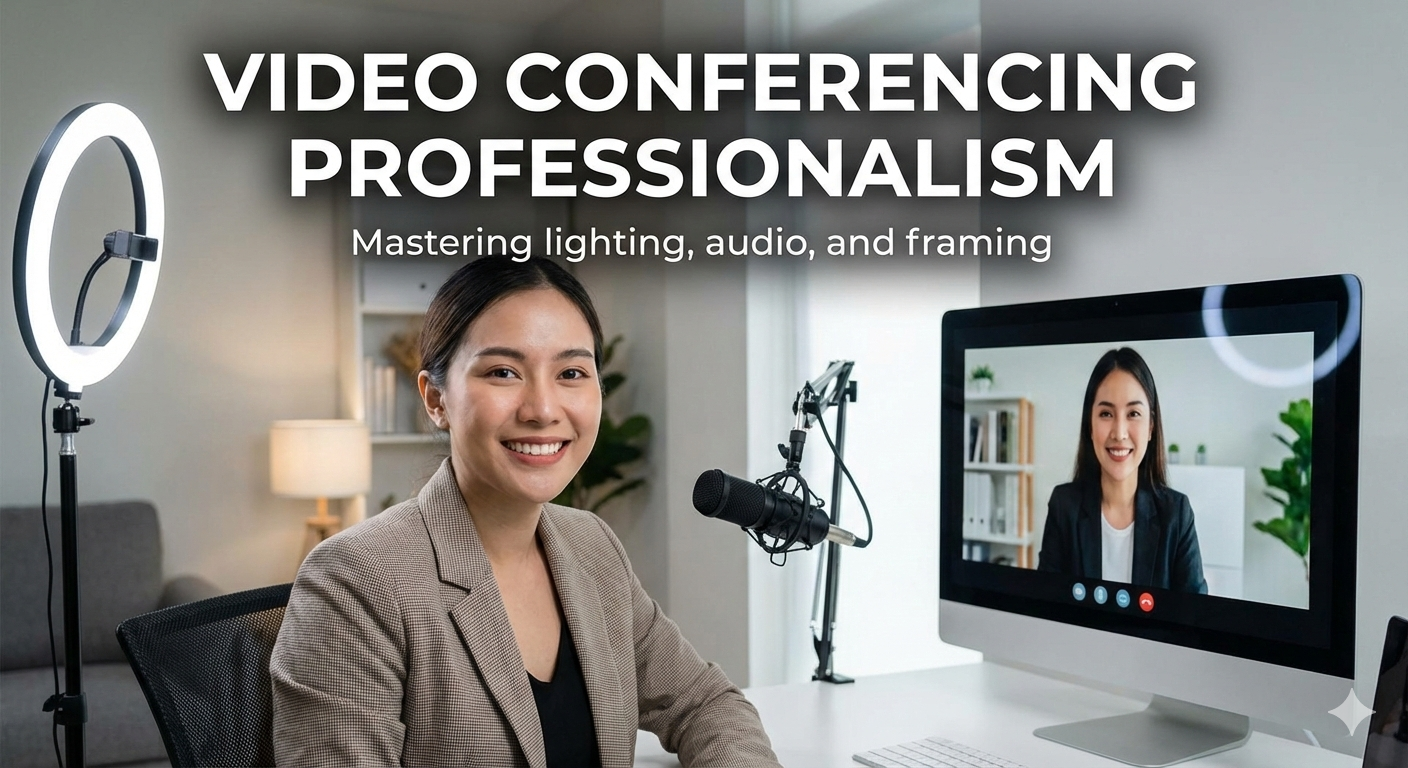
In today’s digital-first world, video conferencing has become a standard part of academic life, remote work, job interviews, and professional communication. Whether attending an online class, participating in a virtual meeting, or appearing for a remote job interview, how you present yourself on screen matters more than ever.
At cvDragon, where we help students and professionals prepare for career success, we often remind our users that professionalism doesn’t end with a resume. Your on-screen presence plays a critical role in shaping first impressions. Mastering the technical and visual elements of video conferencing—especially lighting, audio, and framing—can significantly enhance credibility, confidence, and communication effectiveness.
This article explores the essentials of video conferencing professionalism and offers practical, easy-to-implement tips to help you look and sound your best on camera.
Why Video Conferencing Professionalism Matters
In virtual environments, your screen becomes your workplace. Employers, professors, and clients form impressions based on:
-
Visual clarity
-
Sound quality
-
Body language
-
Eye contact
-
Overall setup
Poor lighting, distracting audio, or awkward framing can undermine even the most capable individuals. Professional video presence signals:
-
Preparedness
-
Attention to detail
-
Confidence
-
Respect for others’ time
For students and job seekers, these cues can directly influence academic evaluations and hiring decisions.
The Psychology of On-Screen Presence
Research shows that people form impressions within seconds. In video calls, lighting and framing affect how:
-
Trustworthy you appear
-
Engaged you seem
-
Clearly your expressions are perceived
Audio quality influences how attentive and professional you sound. Clear communication builds trust, while poor audio creates frustration.
Mastering Lighting for Video Conferencing
Lighting is one of the most important—and often overlooked—elements of video professionalism.
1. Use Natural Light Whenever Possible
Natural light creates a soft, flattering effect.
Best practices:
-
Face a window instead of having it behind you
-
Position yourself so light falls evenly on your face
-
Avoid harsh midday sunlight directly overhead
Never sit with a bright window behind you, as it creates shadows and silhouettes.
2. Avoid Overhead and Back Lighting
Overhead lighting can cast unflattering shadows, while backlighting makes your face appear dark.
If overhead lights are unavoidable:
-
Use additional front-facing light
-
Lower brightness if possible
3. Use Artificial Lighting Strategically
If natural light is limited:
-
Use a desk lamp placed at eye level
-
Position lights at a 45-degree angle
-
Avoid lighting from below
Ring lights are an affordable and effective option for consistent lighting.
4. Maintain Consistent Lighting
Sudden changes in lighting can be distracting. Choose a setup that remains consistent throughout the call.
Optimizing Audio Quality for Clear Communication
While visuals matter, audio quality is often even more important. Poor audio can make even well-framed video ineffective.
1. Choose the Right Microphone
Built-in laptop microphones work, but external microphones significantly improve clarity.
Options include:
-
USB microphones
-
Headsets with noise-canceling features
-
Earphones with inline microphones
Clear audio reduces listener fatigue and improves engagement.
2. Minimize Background Noise
Before joining a call:
-
Close doors and windows
-
Inform others of your meeting
-
Silence notifications
Soft furnishings like curtains and carpets help absorb sound.
3. Test Your Audio in Advance
Always test your microphone before important calls. Adjust input levels to avoid distortion or low volume.
4. Speak Clearly and at a Moderate Pace
Avoid rushing or mumbling. Speaking clearly and confidently enhances professionalism and ensures your message is understood.
Perfecting Camera Framing and Positioning
Framing determines how you appear on screen and how engaging your presence feels.
1. Position the Camera at Eye Level
The camera should be at or slightly above eye level. Looking down or up at the camera can appear unprofessional or disengaged.
2. Follow the Rule of Thirds
Position yourself in the center with:
-
Your eyes one-third down from the top of the frame
-
Some space above your head
This creates a balanced and professional composition.
3. Maintain Proper Distance
Your frame should show:
-
Head and shoulders
-
Upper torso
Too close feels intrusive; too far appears disconnected.
4. Maintain Eye Contact
Look into the camera—not the screen—while speaking. This simulates eye contact and builds trust.
Background and Environment Setup
Your background reflects your attention to detail.
1. Choose a Clean, Neutral Background
Avoid clutter, bright colors, or distractions. A plain wall or tidy bookshelf works well.
2. Use Virtual Backgrounds Carefully
Virtual backgrounds can be useful but:
-
Ensure good lighting
-
Avoid overly animated designs
-
Choose professional themes
Poor virtual backgrounds can appear unpolished.
3. Keep the Space Professional
Remove personal distractions. Ensure the background aligns with the purpose of the call.
Body Language and On-Screen Etiquette
Professional video presence goes beyond technical setup.
Key Tips:
-
Sit upright with relaxed posture
-
Nod occasionally to show engagement
-
Avoid excessive movement
-
Mute when not speaking
Positive body language reinforces credibility.
Video Conferencing for Students and Job Seekers
Students and freshers often face:
-
Online interviews
-
Virtual presentations
-
Remote assessments
At cvDragon, we encourage candidates to treat every video interaction as part of their professional brand. Just as a well-crafted resume creates a strong first impression, a professional video setup reinforces competence and confidence.
Common Video Conferencing Mistakes to Avoid
-
Sitting with light behind you
-
Poor microphone placement
-
Messy or distracting background
-
Camera positioned too low
-
Multitasking during calls
Avoiding these mistakes instantly improves professionalism.
How Video Professionalism Supports Career Growth
Strong video presence:
-
Enhances interview performance
-
Improves communication in remote teams
-
Builds trust with employers and clients
-
Reflects adaptability to modern workplaces
Employers increasingly value candidates who are comfortable and professional in virtual environments.
Conclusion
Video conferencing is no longer a temporary solution—it is a permanent part of modern education and work culture. Mastering lighting, audio, and framing allows students and professionals to communicate clearly, appear confident, and present themselves professionally in virtual settings.
At cvDragon, we believe that career readiness extends beyond resumes and interviews. Your on-screen presence is part of your professional identity. With the right setup and mindful habits, anyone can project confidence, clarity, and credibility—one video call at a time.
Leave a Reply